Prompts
Create reusable, versioned prompt templates and use them in LLM nodes and as Chat slash commands.
A Prompt is a reusable, versioned message template that lives in your project under Prompts. Instead of hard-coding text into every LLM node, you define the prompt once — with variables, multiple messages, and optional function (tool) definitions — and reference it wherever it's needed. Every save creates a new version, so you can review history and roll a node back to earlier wording.
What a prompt contains
- Messages — an ordered list of messages, each with a role of System, User, or Assistant. Message content is text (vision content with image URLs is also supported by the template format).
- Variables — write
{{variable}}placeholders inside message text. Wherever the prompt is used, each variable becomes an input that must be supplied at run time. - Functions — optional tool/function definitions (name, description, JSON-schema parameters) for function-calling models.
Create a prompt
Open Prompts and add one
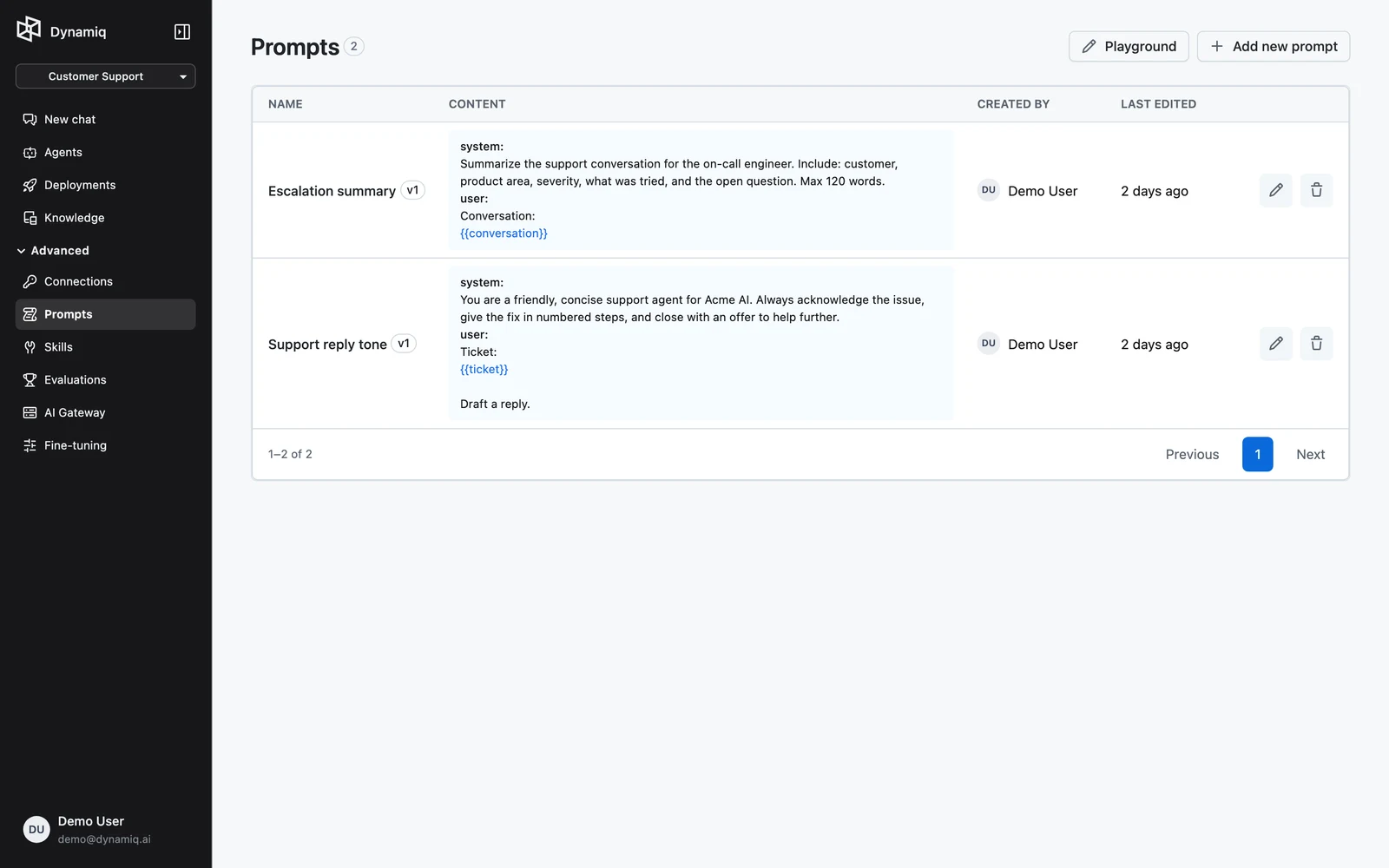
In your project, open Prompts and click Add new prompt. The Add new prompt sheet opens.
Name it and write the messages
Enter a Name. In the Prompt section, click Add message to add messages and pick a role (System, User, Assistant) for each. Toggle between Visual (form-based) and Raw (JSON) editing with the segmented control.
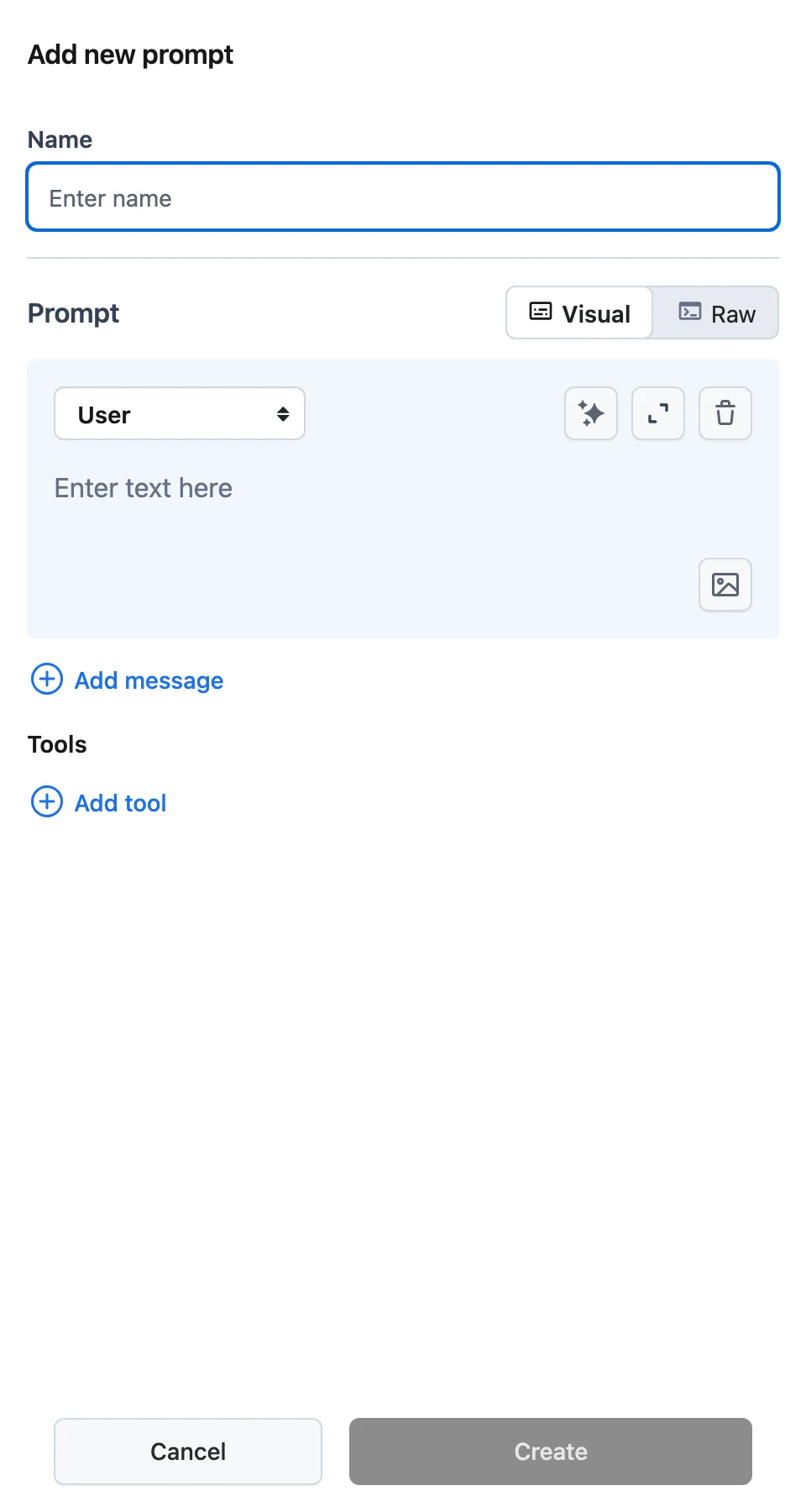
Short on inspiration? Use the generate action on a message: describe what the prompt should do in Prompt description and click Generate — Dynamiq drafts the prompt text for you.
(Optional) add functions
In the functions section, define tools the model may call — each function has a name, description, and parameters schema. These travel with the prompt template.
Create
Click Create. The prompt appears in the list with its NAME, CONTENT preview, CREATED BY, and LAST EDITED columns.
To edit later, open the prompt: the PROMPT tab holds the editable template and the VERSIONS tab lists every saved version with who saved it and when. Clicking Update saves your changes as a new version.
Where prompts are used
- LLM nodes in workflows — in an LLM node's configuration, pick a saved prompt instead of writing an inline one. The node tracks the prompt's latest version, and the prompt's
{{variables}}surface as the node's inputs to be mapped via input transformers. Tool definitions on the prompt become the node's function-calling schema. - Chat slash commands — in Chat, every project prompt that consists of exactly one message appears as a slash command: type
/in the chat input and pick the prompt by name to insert it. - The Playground — iterate on prompt wording and compare models side by side before saving; see Prompt Playground.
Prompts via the API
# Create a prompt
curl -X POST "https://api.getdynamiq.ai/v1/prompts" \
  -H "Authorization: Bearer $DYNAMIQ_PAT" \
  -H "Content-Type: application/json" \
  -d '{
    "name": "support-answer",
    "project_id": "<your-project-id>",
    "template": {
      "messages": [
        {"role": "system", "content": "You are a concise support assistant."},
        {"role": "user", "content": "Answer the question using the context.\nContext: {{context}}\nQuestion: {{question}}"}
      ]
    }
  }'

# List prompts / get one
curl "https://api.getdynamiq.ai/v1/prompts?project_id=<your-project-id>" \
  -H "Authorization: Bearer $DYNAMIQ_PAT"
curl "https://api.getdynamiq.ai/v1/prompts/<prompt-id>" \
  -H "Authorization: Bearer $DYNAMIQ_PAT"

# Update (creates a new version)
curl -X PUT "https://api.getdynamiq.ai/v1/prompts/<prompt-id>" \
  -H "Authorization: Bearer $DYNAMIQ_PAT" \
  -H "Content-Type: application/json" \
  -d '{
    "template": {
      "messages": [
        {"role": "user", "content": "Summarize: {{text}}"}
      ]
    }
  }'

# Versions
curl "https://api.getdynamiq.ai/v1/prompt-versions?prompt_id=<prompt-id>" \
  -H "Authorization: Bearer $DYNAMIQ_PAT"
template.tools optionally carries function definitions: [{"type": "function", "function": {"name": "...", "description": "...", "parameters": {...}}}]. There is also POST /v1/prompts/generate with {"target": "agent" | "llm", "description": "..."}, which returns an AI-drafted prompt — the same capability behind the Generate button.