Prompt Playground
Test prompt wording against real models, tune parameters, and compare up to ten prompt/model combinations side by side.
The Playground runs prompts against live models so you can iterate on wording and settings before saving anything. Open it from Prompts → Playground in your project.
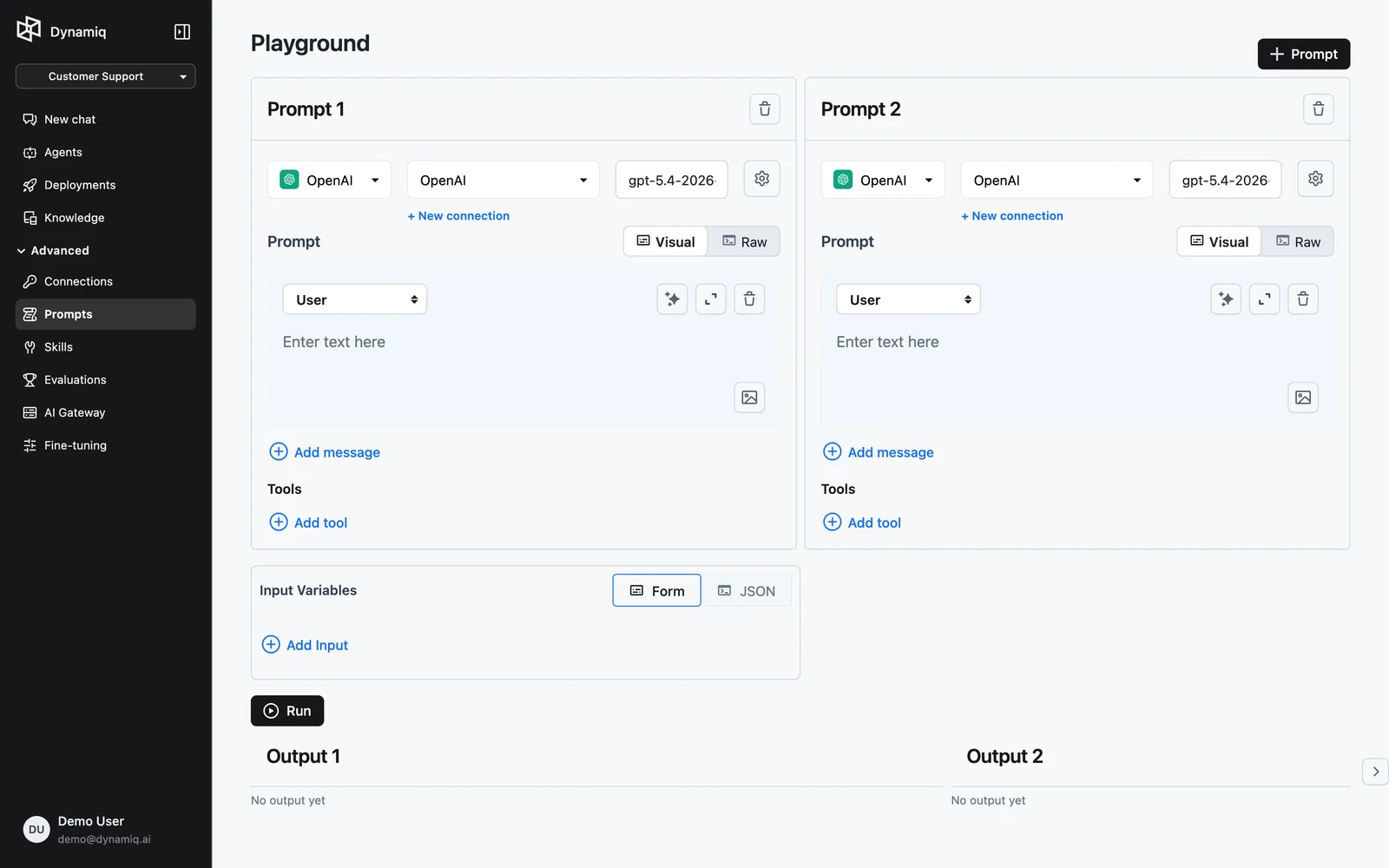
Run a prompt
Configure the model
Each prompt panel has its own model setup: pick the LLM provider, its Connection, and the Model. The settings menu exposes Temperature, Max output tokens, and — for reasoning models — Reasoning effort. Defaults adjust to the model you select.
Write the messages
Compose the prompt's messages exactly as in the prompt editor — add messages, set roles, and use {{variable}} placeholders where the input should be substituted.
Fill Input Variables
The Input Variables editor takes a JSON object supplying a value for every {{variable}} used by your prompts. All panels share the same input, which is what makes comparisons fair.
Run
Click Run. Outputs stream in below, one block per prompt panel. If the model makes function calls, the tool-call output is rendered too.
Compare prompts and models
Click + Prompt in the header to add another panel — up to 10 prompts can run side by side. Two common patterns:
- Same prompt, different models — duplicate the messages and vary provider/model/temperature to pick the best cost-quality trade-off.
- Same model, different wording — keep the model fixed and vary the rubric or system message to isolate the effect of the prompt itself.
Because all panels read the same Input Variables, a single Run gives you a direct comparison on identical input.
The Playground is stateless: it does not save prompts or outputs. When you land on a winning variant, recreate it as a saved prompt on the Prompts page (or via POST /v1/prompts) so workflows and Chat can use it.
The test endpoint
The Playground is backed by POST /v1/prompts/test, which executes prompt templates against the specified models and streams the results. The payload carries the prompt definitions (messages, model, connection, parameters, optional tools), the shared input object, and stream: true. For systematic, repeatable scoring of prompt variants, prefer Evaluations, which persists results.