Create a Connection
Add credentials for LLM providers, databases, vector stores, MCP servers, and more — in the UI or through the API.
You create a Connection by picking a type, naming it, and filling in the type-specific credentials. This page walks through the flow and catalogs every connection type in the UI Type dropdown (plus one API-only type). If you are new to Connections, start with the overview.
Create a Connection in the UI
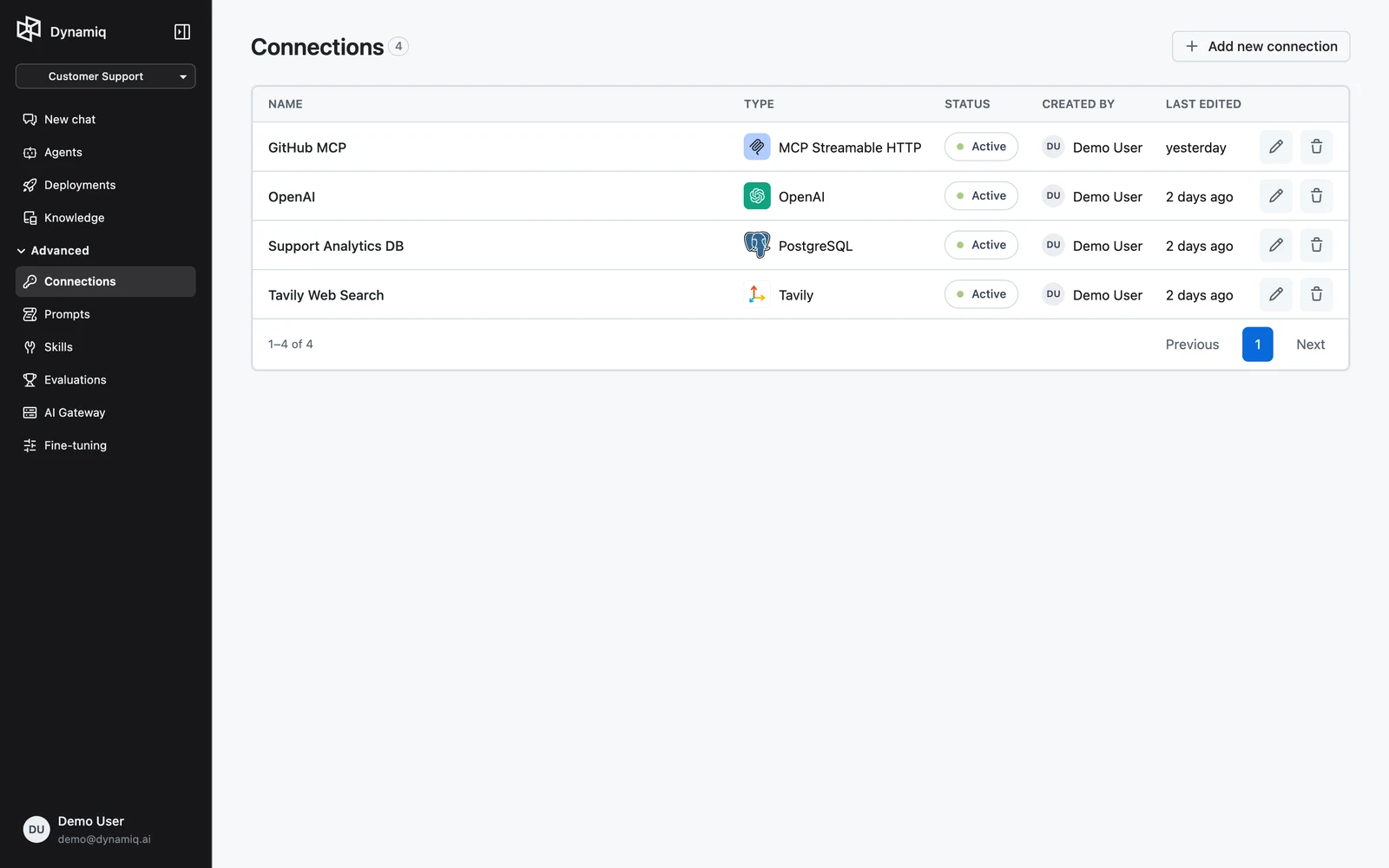
Choose a type and name
In the Add new connection panel, pick the service from the Type dropdown and enter a Name. The Create button stays disabled until you provide a name.
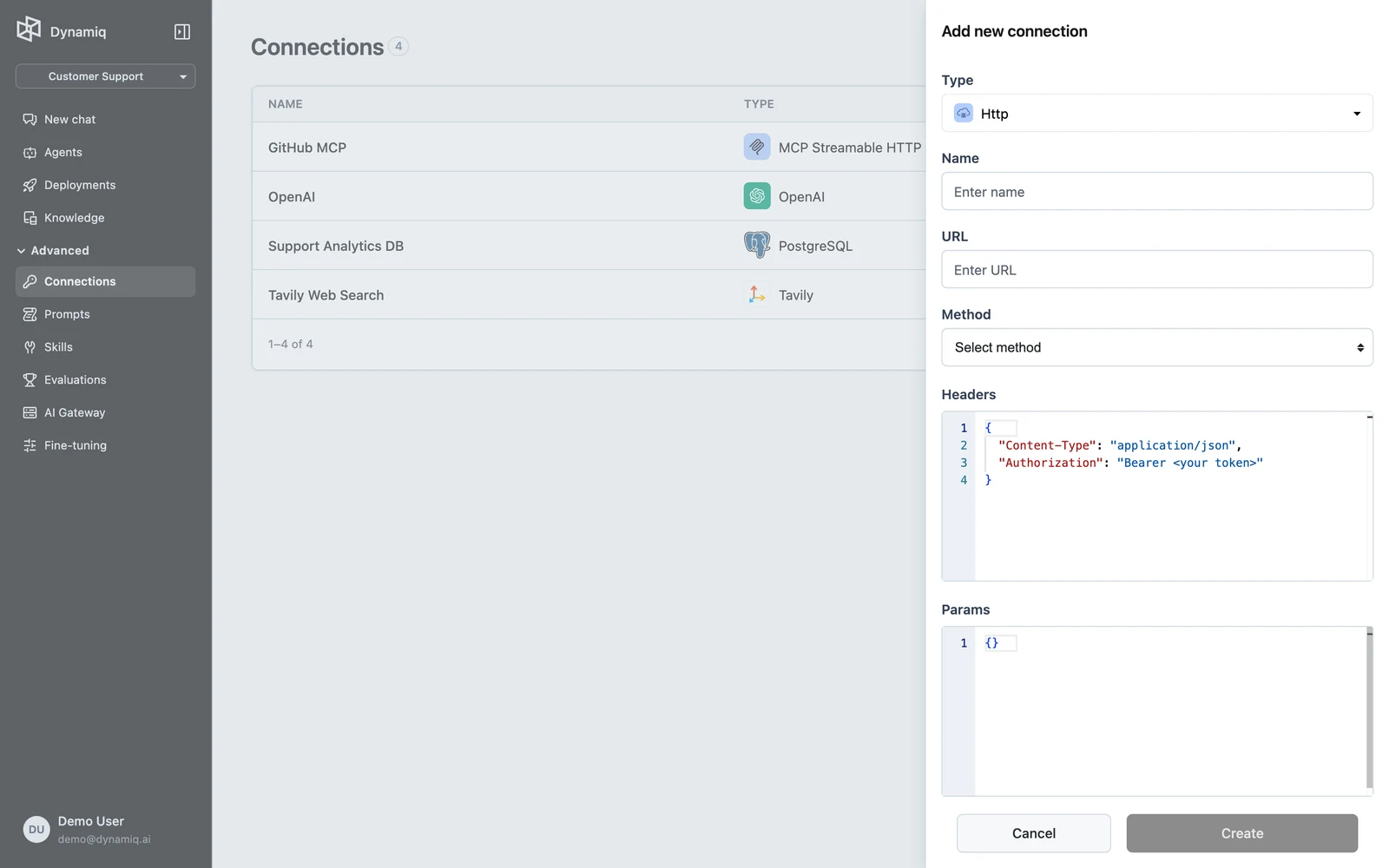
Fill in the config fields
The fields below Name change with the selected type — an API key for most LLM providers, host and port for databases, a server URL for MCP. The per-category field notes are in the catalog below.
Create — and authorize, if OAuth
Click Create. For most types the Connection is active immediately and ready to use.
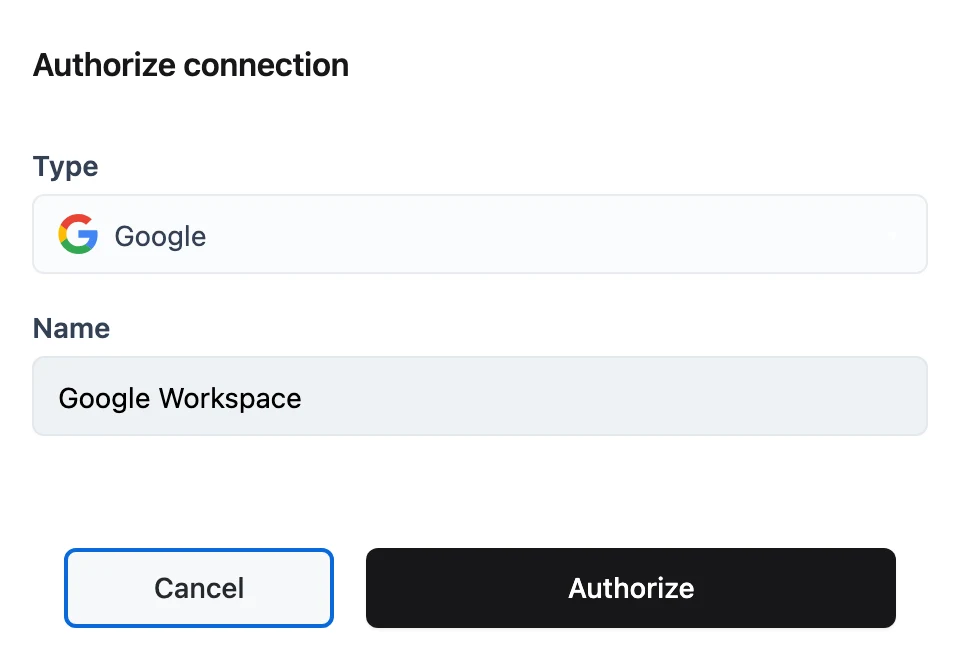
For OAuth types (Google, Dropbox, Microsoft, Box, Notion) the panel switches to Authorize connection with an Authorize button. Clicking it opens the provider's consent page in a new tab; once you grant access, the Connection's status changes to active. See OAuth Connections for details.
After creation, a Connection's Type and Name are fixed. You can edit the config fields (for example, rotate an API key) by opening the Connection from the list and clicking Update, or remove it with the delete action in the row menu.
Create a Connection via API
Send POST /v1/connections with name, project_id, type, and a type-specific config object. The type value is the full identifier, e.g. dynamiq.connections.OpenAI.
curl -X POST "https://api.getdynamiq.ai/v1/connections" \
  -H "Authorization: Bearer $DYNAMIQ_PAT" \
  -H "Content-Type: application/json" \
  -d '{
    "name": "openai-prod",
    "project_id": "'"$DYNAMIQ_PROJECT_ID"'",
    "type": "dynamiq.connections.OpenAI",
    "config": {
      "api_key": "'"$OPENAI_API_KEY"'",
      "url": "https://api.openai.com/v1"
    }
  }'
import os
import requests
response = requests.post(
"https://api.getdynamiq.ai/v1/connections",
headers={"Authorization": f"Bearer {os.environ['DYNAMIQ_PAT']}"},
json={
"name": "openai-prod",
"project_id": os.environ["DYNAMIQ_PROJECT_ID"],
"type": "dynamiq.connections.OpenAI",
"config": {
"api_key": os.environ["OPENAI_API_KEY"],
"url": "https://api.openai.com/v1",
},
},
)
response.raise_for_status()
connection = response.json()["data"]
print(connection["id"], connection["status"])const response = await fetch("https://api.getdynamiq.ai/v1/connections", {
method: "POST",
headers: {
Authorization: `Bearer ${process.env.DYNAMIQ_PAT}`,
"Content-Type": "application/json",
},
body: JSON.stringify({
name: "openai-prod",
project_id: process.env.DYNAMIQ_PROJECT_ID,
type: "dynamiq.connections.OpenAI",
config: {
api_key: process.env.OPENAI_API_KEY,
url: "https://api.openai.com/v1",
},
}),
});
const { data: connection } = await response.json();
console.log(connection.id, connection.status);namestringrequiredproject_idstring (UUID)requiredtypestringrequiredconfigobjectrequiredoauth2_client_idstring (UUID)To update credentials later, send PUT /v1/connections/{connection_id} with the same type and the new config.
Connection type catalog
Type names below match the Type dropdown exactly.
LLM providers
Most LLM provider Connections need only an api_key; a few add provider-specific fields.
| Type | Config fields |
|---|---|
| OpenAI | api_key, url (defaults to https://api.openai.com/v1 — point it at any OpenAI-compatible endpoint) |
| Anthropic | api_key |
| Gemini | api_key |
| Cohere | api_key |
| Mistral | api_key |
| Groq | api_key |
| HuggingFace | api_key |
| xAI | api_key |
| DeepSeek | api_key |
| TogetherAI | api_key |
| Anyscale | api_key |
| Fireworks AI | api_key |
| Replicate | api_key |
| SambaNova | api_key |
| Cerebras | api_key |
| DeepInfra | api_key |
| Perplexity | api_key |
| Azure AI | api_key, url, api_version |
| IBM watsonx | api_key, project_id, url |
| Nvidia NIM | url, api_key |
| AWS | access_key_id, secret_access_key, region (used for Amazon Bedrock and other AWS services) |
| VertexAI | Google service-account JSON fields (project_id, private_key, client_email, …) plus vertex_project_id and vertex_project_location |
Vector databases
| Type | Config fields |
|---|---|
| Pinecone | api_key |
| Weaviate | api_key, deployment_type (Weaviate cloud adds a cluster url; Custom adds HTTP and gRPC host/port fields) |
| Qdrant | url, api_key |
| Milvus | uri, api_key |
| Chroma | host, port |
| Elasticsearch | url, api_key_id + api_key or username + password, optional cloud_id, use_ssl |
| AWS OpenSearch | access_key_id, secret_access_key, region, host, port (default 443), service, use_ssl |
SQL databases and warehouses
Relational databases share the host/port/credentials shape.
| Type | Config fields |
|---|---|
| PostgreSQL | host, port (default 5432), database, user, password |
| MySQL | host, port (default 3306), database, user, password |
| Amazon Redshift | host, port (default 5439), database, user, password |
| Snowflake | user, password, account, warehouse, database, schema |
| Databricks | url, api_key |
Graph databases
| Type | Config fields |
|---|---|
| Neo4j | uri, username, password, database, connectivity verification toggle |
| AWS Neptune | host, port (default 8182), HTTPS and SSL-verification toggles, timeout |
| Apache AGE | host, port (default 5432), database, user, password (PostgreSQL-compatible) |
Search, scraping, and browsing
| Type | Config fields |
|---|---|
| Tavily | api_key |
| Exa | api_key |
| ScaleSerp | api_key |
| Firecrawl | api_key |
| ZenRows | api_key |
| Jina | api_key |
| Stagehand | browserbase_api_key, browserbase_project_id, model_api_key, extra config |
Audio
| Type | Config fields |
|---|---|
| Whisper | url, api_key |
| ElevenLabs | api_key |
Code sandboxes
| Type | Config fields |
|---|---|
| E2B | api_key |
| Daytona | api_key, url (defaults to https://app.daytona.io/api), target |
MCP servers
Both MCP transports share the same config; use them to give the Agent node tools from a remote MCP server.
| Type | Config fields |
|---|---|
| MCP SSE | url, headers, timeout (default 30s), sse_read_timeout (default 300s) |
| MCP Streamable HTTP | url, headers, timeout (default 30s), sse_read_timeout (default 300s) |
OAuth cloud providers
These types store OAuth scopes instead of secrets; you complete them with the Authorize step described above.
| Type | Default scopes |
|---|---|
| userinfo email/profile, Drive read-only | |
| Microsoft | User.Read, Files.Read.All, Sites.Read.All |
| Dropbox | account info read, file metadata and content read |
| Box | root_readwrite |
| Notion | none (provider-managed) |
Other services
| Type | Config fields |
|---|---|
| Http | url, method, headers, params, data — a generic HTTP endpoint definition |
| HttpApiKey | url, api_key — a generic API-key-authenticated endpoint |
| Unstructured | url, api_key (document parsing) |
| Lakera | api_key (guardrails; API only — not in the UI Type dropdown) |
| Atlassian | base_url, email, api_token |
| Microsoft Entra App | tenant_id, client_id, certificate, private_key — PEM certificate and unencrypted RSA private key; see SharePoint |
| GoogleCloud | Google service-account JSON fields (project_id, private_key, client_email, …) |
Connection status
The Connections table shows a STATUS badge for each row:
active— ready to use.incomplete— an OAuth Connection that has not been authorized yet; open it and click Authorize.expired— an OAuth Connection whose tokens are no longer valid; re-authorize it.
Next steps
Overview
Connections store credentials and configuration for external services — encrypted at rest, scoped to a project, and resolved at runtime.
OAuth Connections
Connect Google, Dropbox, Microsoft, Box, and Notion with an OAuth consent flow — authorize, automatic token refresh, scopes, and expiry handling.