Import Skills & the Official Library
Bring skills in from zip archives and GitHub folders, and add Dynamiq's official skills to your Chat library.
Besides authoring skills in the editor, you can import existing ones: upload a zip archive, point at a GitHub folder, or — in Chat — add curated skills from Dynamiq's official repository. The archive format is the open SKILL.md convention, so skills published in public repositories (for example skill collections on GitHub) import as-is.
Upload a skill from ZIP
Open the upload dialog
On your project's Skills page, open the Add new skill menu and choose Upload from ZIP.
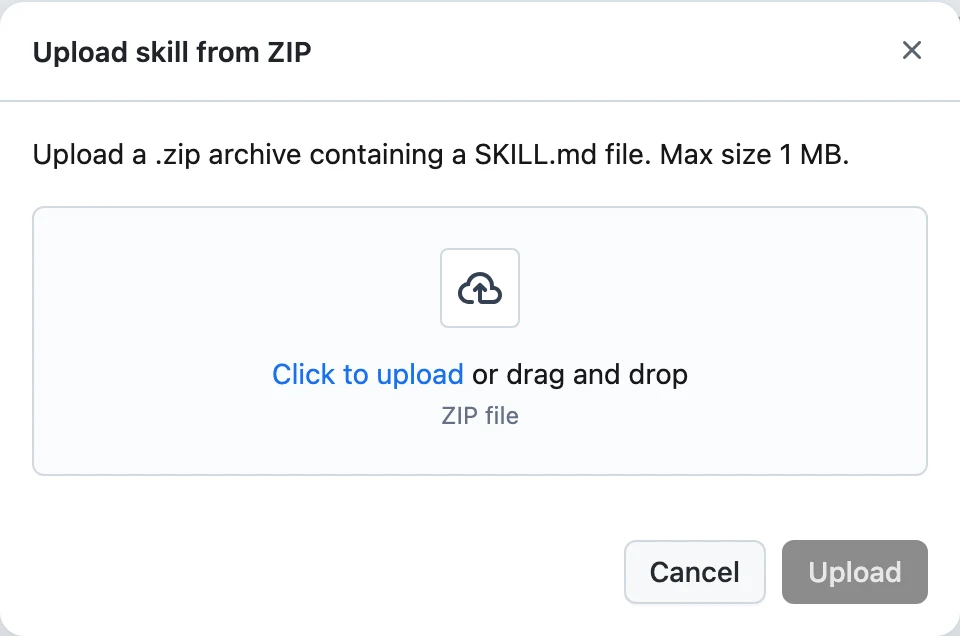
Pick the archive
Drop a .zip archive containing a SKILL.md file. Maximum size is 1 MB. The SKILL.md must have YAML frontmatter with name (lowercase/digits/hyphens) and description — uploads without them are rejected with "Invalid SKILL.md: missing required frontmatter fields (name, description)." Any other files in the archive are kept alongside the instructions.
Upload
Click Upload. The skill is created in the project with the frontmatter's name and description as version 1.
API equivalent:
curl -X POST "https://api.getdynamiq.ai/v1/skills/upload" \
  -H "Authorization: Bearer $DYNAMIQ_PAT" \
  -F "project_id=<your-project-id>" \
  -F "file=@release-notes.zip"
Import a skill from GitHub
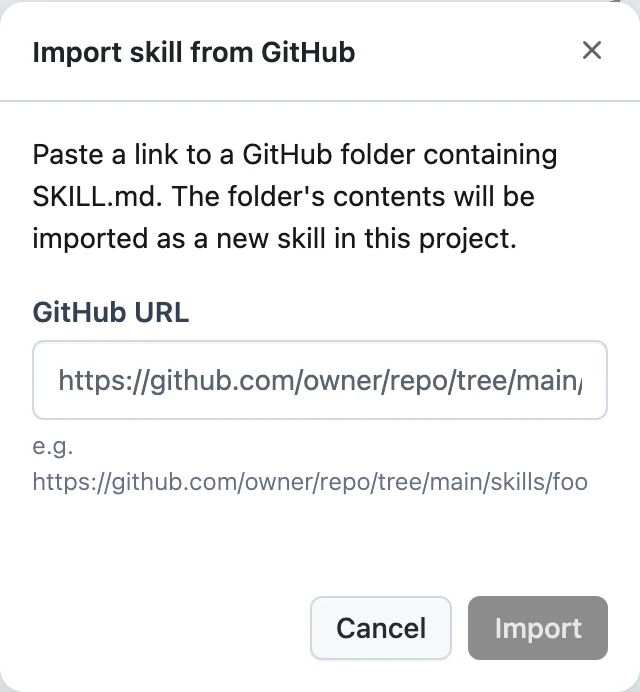
Paste the folder URL
Provide a GitHub URL pointing at a folder that contains a SKILL.md, in the form https://github.com/{owner}/{repo}/tree/{ref}/{path} — for example https://github.com/owner/repo/tree/main/skills/foo. The folder's contents are fetched and packaged as the skill; if no SKILL.md is found there, the import fails.
Import
Click Import. The skill lands in the project under the name from its frontmatter.
API equivalent — and the version-level variant for pulling an updated copy into an existing skill:
# Import as a new skill
curl -X POST "https://api.getdynamiq.ai/v1/skills/import/github" \
  -H "Authorization: Bearer $DYNAMIQ_PAT" \
  -H "Content-Type: application/json" \
  -d '{
    "github_url": "https://github.com/owner/repo/tree/main/skills/release-notes",
    "project_id": "<your-project-id>"
  }'

# Import as a new version of an existing skill
curl -X POST "https://api.getdynamiq.ai/v1/skills/<skill-id>/versions/import/github" \
  -H "Authorization: Bearer $DYNAMIQ_PAT" \
  -H "Content-Type: application/json" \
  -d '{"github_url": "https://github.com/owner/repo/tree/main/skills/release-notes"}'
Only public repository contents reachable by URL can be imported; the importer fetches the folder via the GitHub API and requires the tree/{ref}/{path} URL form.
Official skills in Chat
Chat has its own per-user skill library, with a curated official collection maintained by Dynamiq on top of your custom skills.
- In Chat, click Add skills to open the Skills modal.
- Your library lists your skills, each with an enable/disable toggle that controls whether Chat's agent can use it.
- The Add menu offers Upload skill (zip), Import from Github (folder URL, e.g.
https://github.com/anthropics/skills/tree/main/skills/pdf), Add from official repository, and Write skill manually. - Click Official skills (or Add from official repository) to browse and search the official collection, then add any skill — it's added to your library, already enabled.
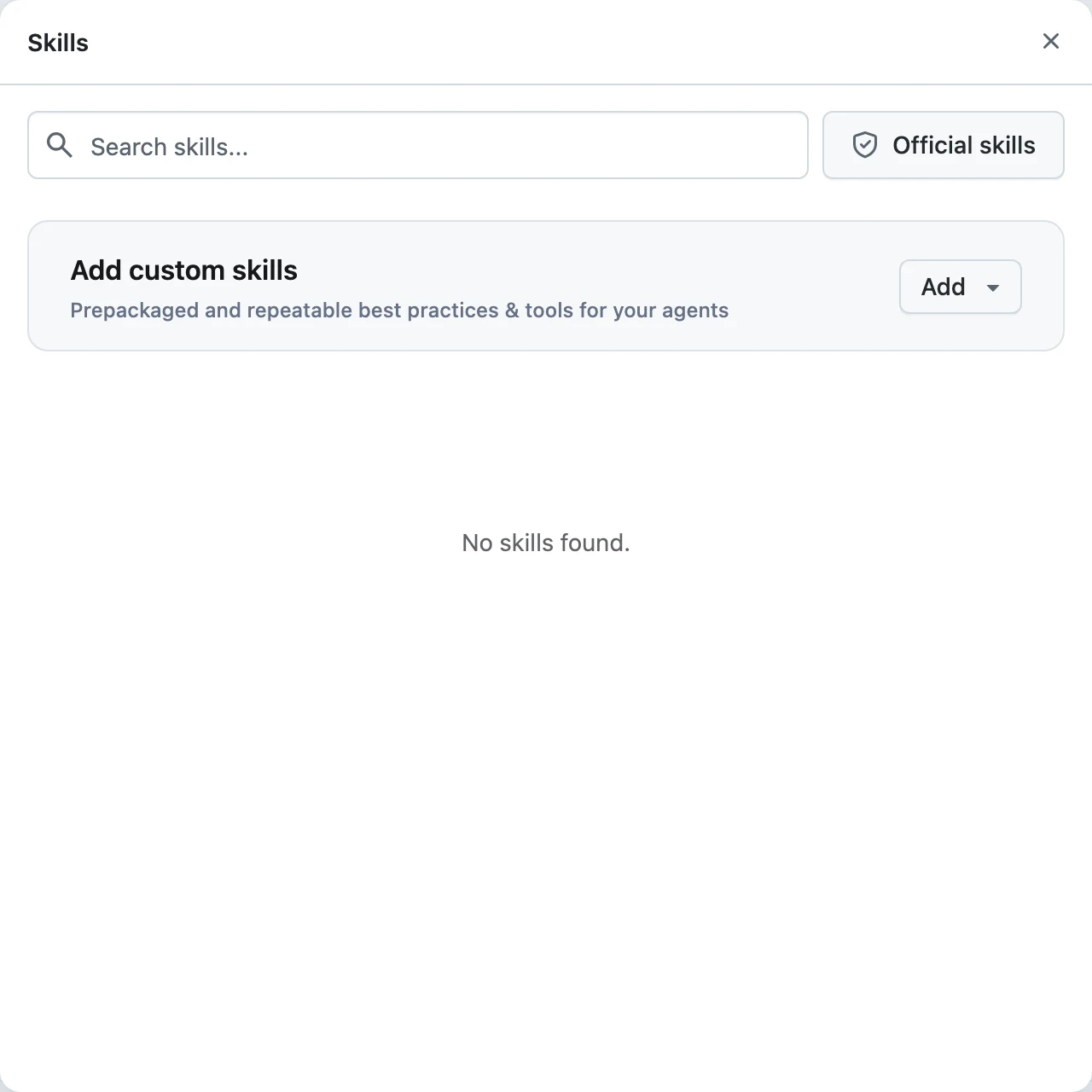
Chat-library endpoints mirror the project ones: GET/POST /v1/chat/skills, POST /v1/chat/skills/upload, POST /v1/chat/skills/import, POST /v1/chat/skills/{skill_id}/enable and /disable, plus GET /v1/chat/skills/official and POST /v1/chat/skills/official/{skill_id}/add for the official collection.
Official skills are read-only: they can't be edited, and removing one from your Chat library only takes it out of your library — the official skill itself stays in the repository. Project skills (on the Skills page) and Chat skills (in the Chat modal) are separate libraries — import into whichever surface should use the skill.