Datasets
Versioned test data for evaluations: draft, release, and fork versions; add items by hand, from JSON files, or straight from traces.
A dataset is a table of test items — each item is a JSON object whose keys are the dataset's columns. Datasets are versioned: you edit a draft version, release it to freeze it for evaluation runs, and fork a released version when you need to change it again. Manage them on the Datasets tab of Evaluations.
Create a dataset
Add the dataset
On Evaluations → Datasets, click Add new dataset. Give it a Name, optionally a Description, and optionally drop a JSON file with initial entries (Upload from file — a Sample JSON link shows the expected shape). Click Create.
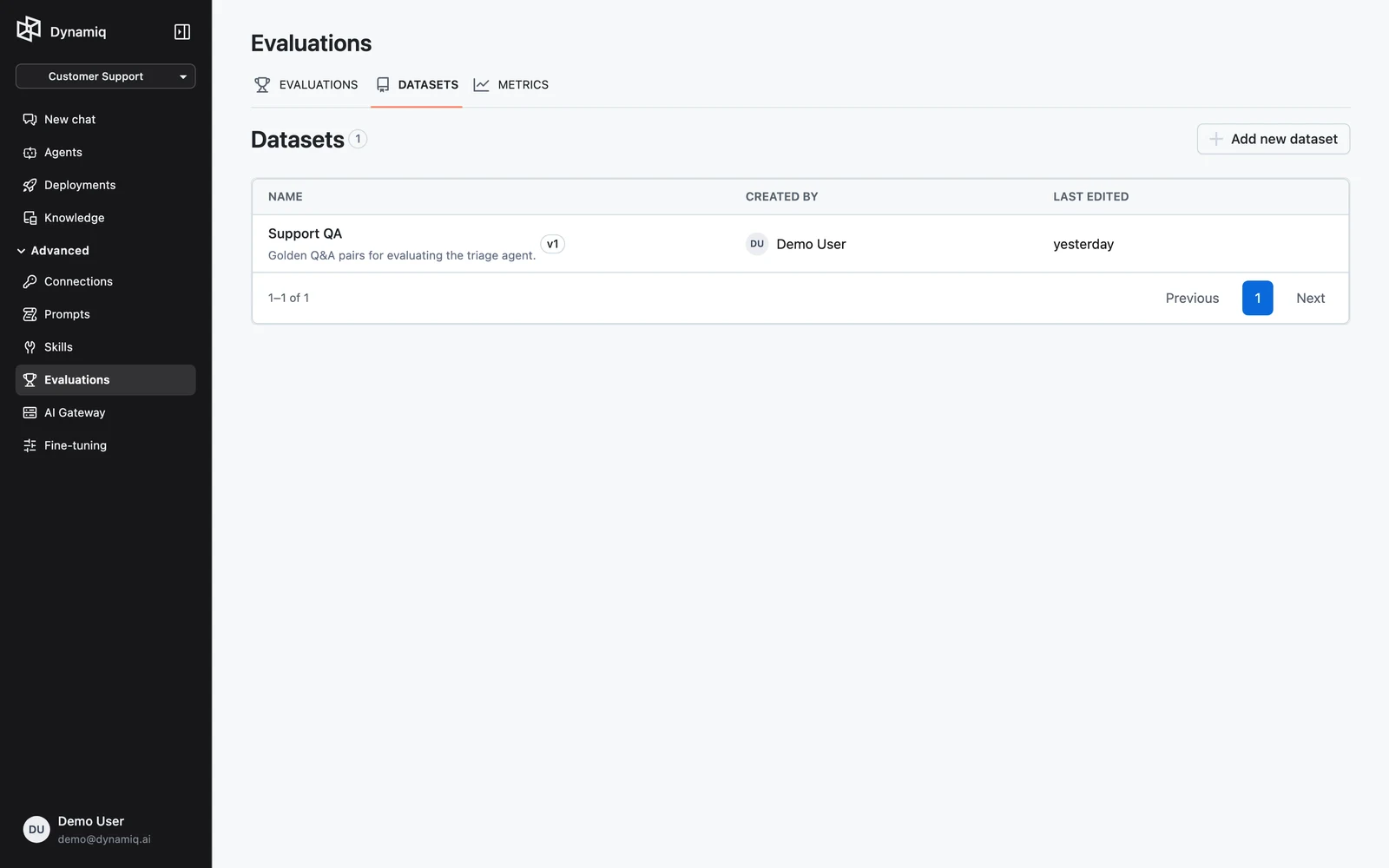
A new dataset starts with a draft version (shown as v1-draft on the dataset page).
Add columns and entries
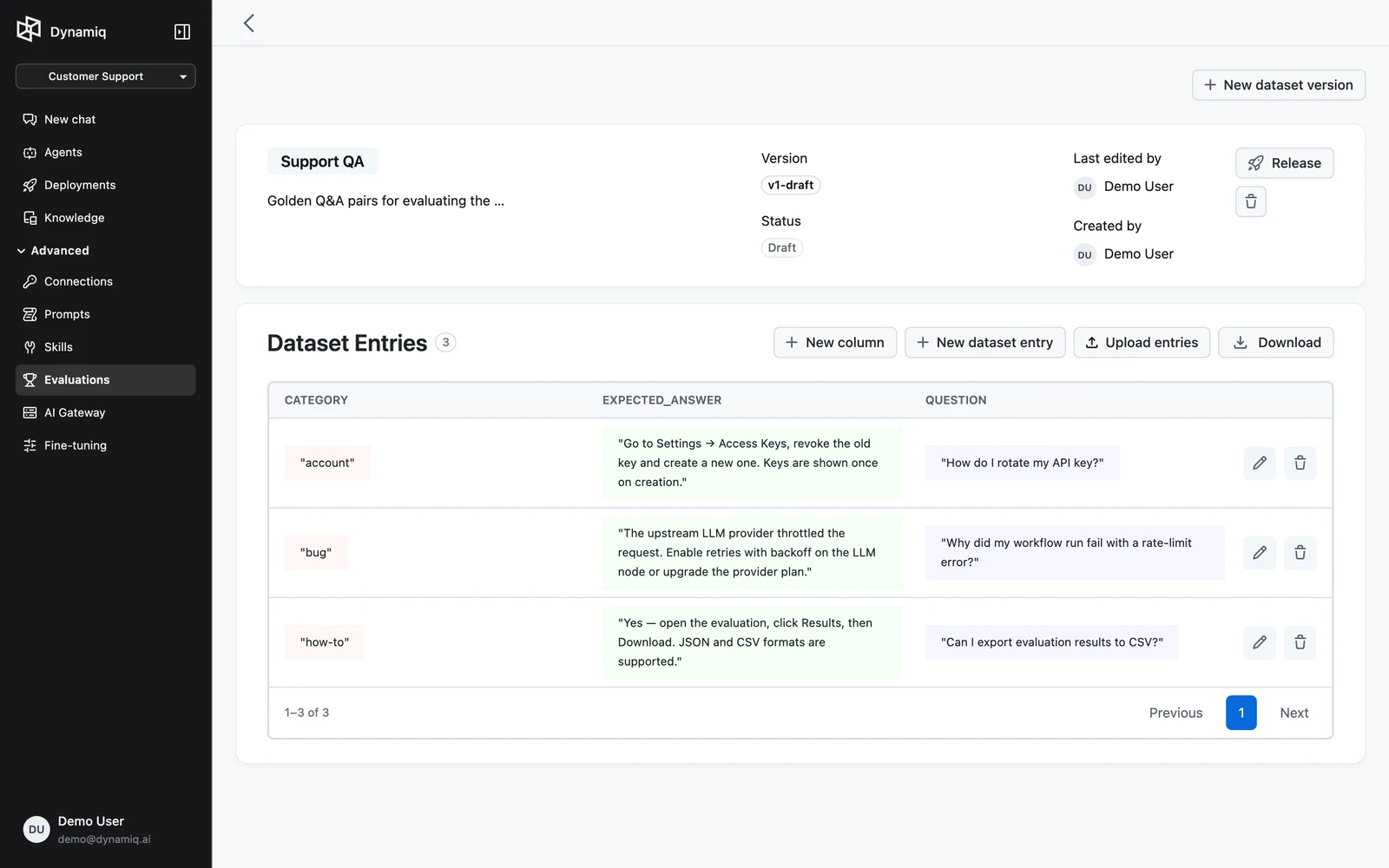
Open the dataset. While the active version is a Draft, the Dataset Entries table is editable:
- New column — add a field to the version's schema (for example
question,context,ground_truth_answer). - New dataset entry — add a row by filling in each column.
- Upload entries — upload a JSON file of items; a Sample JSON link in the dialog shows the expected shape (an array of objects whose keys match your columns).
Release the version
Click Release to freeze the version. Released versions are immutable — entry and column editing is disabled — and only datasets with at least one released version can be selected in an evaluation run. The version label switches from v1-draft (Draft) to v1 (Released).
Iterate with new versions
- New dataset version creates a fresh draft on the same dataset.
- Fork (available on a released version) copies it into a new draft so you can amend the data without touching the frozen version.
Switch between versions with the version selector on the dataset card.
Add items from traces
A trace records a real interaction with your App: what was sent, what came back, and every step in between. Adding traces to a dataset turns production traffic into evaluation data:
- Score real traffic after the fact. Run metrics over interactions that already happened — for example, a groundedness judge over last week's answers — without calling the App again.
- Keep the cases that went wrong. When a user reports a bad answer, or an online evaluation scores a trace low, capture that trace so the failure stays in your test data.
- Build a regression set from questions real users asked instead of invented ones.
To capture a trace:
- Open the trace — for example from an App's Traces tab, the Trace button on an online evaluation run, or View trace in an evaluation run's results.
- In the Trace side sheet, switch to the Evaluation tab and click Add to dataset.
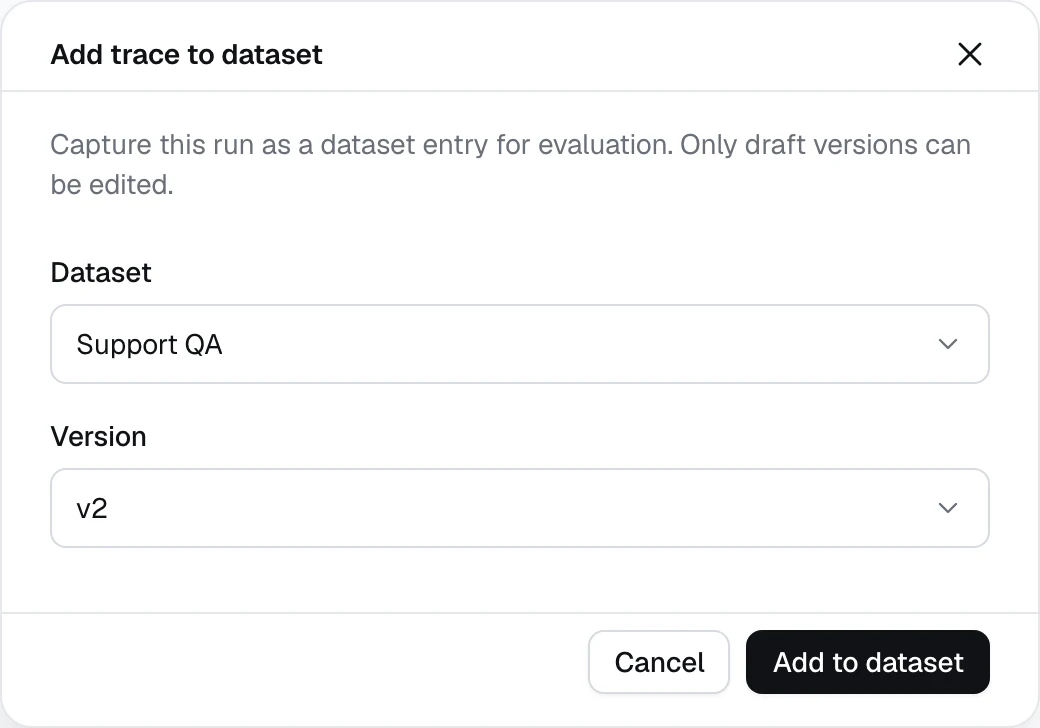
- In the Add trace to dataset dialog, pick a Dataset and a draft Version, then click Add to dataset. Only draft versions are offered, since released versions are immutable — if the dataset has none, create a new version first.
Each trace becomes one item with four fields. input holds the App's Input node fields and output its Output node fields; output is null for a failed run:
{
  "trace_id": "2bce8dc6-a525-49cd-b24f-1f3bcb1122f0",
  "status": "succeeded",
  "input": {
    "question": "How do I rotate my API key?"
  },
  "output": {
    "answer": "Open Settings → Access Keys, create a new key, update your services, then revoke the old key."
  }
}
Adding a trace to an empty draft makes these four fields the version's columns. Keep captured traces in a dataset of their own: added to a version that already has other columns, the item is saved but its fields don't show in the Dataset Entries table.
Example: score recorded answers
Evaluate what your App actually returned, without re-running anything:
- Capture the traces into a new dataset and Release the version.
- Create an LLM-as-a-judge metric whose instructions use
{{question}},{{answer}}, and{{trace}}— for example: Score 1 if the answer is supported by the documents retrieved in the trace, otherwise 0. - Start an evaluation run in Dataset only mode, add the metric, and map
question→$.dataset.input,answer→$.dataset.output, andtrace→$.trace.
$.trace gives the judge the full recorded trace as text — every node's input and output, including what a retriever returned — so it can check the answer against the evidence.
Example: replay production inputs on a new version
Items captured from traces are always scored as recorded: even in With workflow mode, the workflow doesn't run for them. To send real user inputs through a new workflow version and compare the results with what production returned, turn the items into plain rows first.
In the UI: on the released version, click Download. Reshape each item into flat columns without trace_id — for example {"question": "How do I rotate my API key?", "expected_answer": "Open Settings → Access Keys, create a new key, update your services, then revoke the old key."} — and upload the file to a new dataset with Upload from file. Release it, then start a With workflow run that maps $.dataset.question to the agent's input and gives your metric $.workflow.answer and $.dataset.expected_answer.
Through the API: fork the released version, drop its trace_id column, release the fork, and start the run with nested selectors that read straight from input and output:
# 1. Fork the released version into a new draft (the response carries the new version's id)
curl -X POST "https://api.getdynamiq.ai/v1/dataset-versions/<released-version-id>/fork" \
  -H "Authorization: Bearer $DYNAMIQ_PAT"

# 2. Drop trace_id so the rows are re-run instead of scored as recorded
curl -X PUT "https://api.getdynamiq.ai/v1/dataset-versions/<forked-version-id>/schema" \
  -H "Authorization: Bearer $DYNAMIQ_PAT" \
  -H "Content-Type: application/json" \
  -d '{"delete": [{"name": "trace_id", "delete_from_items": true}]}'

# 3. Release the fork
curl -X POST "https://api.getdynamiq.ai/v1/dataset-versions/<forked-version-id>/release" \
  -H "Authorization: Bearer $DYNAMIQ_PAT"

# 4. Run the new workflow version on the recorded inputs and score it against the recorded outputs
curl -X POST "https://api.getdynamiq.ai/v1/evaluations" \
  -H "Authorization: Bearer $DYNAMIQ_PAT" \
  -H "Content-Type: application/json" \
  -d '{
    "name": "replay-production-on-v2",
    "project_id": "<your-project-id>",
    "dataset_id": "<dataset-id>",
    "dataset_version_id": "<forked-version-id>",
    "config": [
      {
        "workflow": {
          "id": "<workflow-id>",
          "version_id": "<new-workflow-version-id>",
          "input_transformer": {
            "selector": {"question": "$.dataset.input.question"}
          }
        },
        "metrics": [
          {
            "id": "<metric-id>",
            "input_transformer": {
              "selector": {
                "question": "$.dataset.input.question",
                "answer": "$.workflow.answer",
                "expected_answer": "$.dataset.output.answer"
              }
            }
          }
        ]
      }
    ]
  }'
Datasets via the API
All UI actions map to management API endpoints:
# Create a dataset
curl -X POST "https://api.getdynamiq.ai/v1/datasets" \
  -H "Authorization: Bearer $DYNAMIQ_PAT" \
  -H "Content-Type: application/json" \
  -d '{"name": "rag-regression", "description": "RAG regression set", "project_id": "<your-project-id>"}'

# Create a new draft version (schema is optional)
curl -X POST "https://api.getdynamiq.ai/v1/datasets/<dataset-id>/versions" \
  -H "Authorization: Bearer $DYNAMIQ_PAT"

# Add items to a draft version (JSON body)
curl -X POST "https://api.getdynamiq.ai/v1/dataset-versions/<version-id>/items" \
  -H "Authorization: Bearer $DYNAMIQ_PAT" \
  -H "Content-Type: application/json" \
  -d '{
    "items": [
      {
        "question": "What is the capital of France?",
        "context": "Paris is the capital city of France.",
        "ground_truth_answer": "Paris is the capital of France."
      }
    ]
  }'

# Release / fork a version
curl -X POST "https://api.getdynamiq.ai/v1/dataset-versions/<version-id>/release" \
  -H "Authorization: Bearer $DYNAMIQ_PAT"
curl -X POST "https://api.getdynamiq.ai/v1/dataset-versions/<version-id>/fork" \
  -H "Authorization: Bearer $DYNAMIQ_PAT"

# Create an item from a trace
curl -X POST "https://api.getdynamiq.ai/v1/dataset-items/from-trace" \
  -H "Authorization: Bearer $DYNAMIQ_PAT" \
  -H "Content-Type: application/json" \
  -d '{
    "dataset_id": "<dataset-id>",
    "dataset_version_id": "<draft-version-id>",
    "trace_id": "<trace-id>"
  }'
File upload to POST /v1/dataset-versions/{dataset_version_id}/items also accepts multipart/form-data with a file field — .json (an array of objects) or .jsonl (one object per line). Other formats, including CSV, are rejected with unsupported file format.
Useful reads:
GET /v1/datasets?project_id=...andGET /v1/dataset-versions?dataset_id=...— list datasets and versions.GET /v1/dataset-items?dataset_version_id=...— page through a version's items;PUT /v1/dataset-items/{dataset_item_id}updates one with{"data": {...}}.GET /v1/dataset-versions/{dataset_version_id}/download?format=json— download a version (jsonorjsonl).PUT /v1/dataset-versions/{dataset_version_id}/schema— add or delete columns with{"add": [{"name": "...", "schema": {...}}], "delete": [{"name": "...", "delete_from_items": true}]}.