Document Parse
Convert a PDF or image to clean Markdown with the gateway's LLM-based OCR endpoint — playground, API contract, and code samples.
Document Parse turns a PDF or image into Markdown using a vision-capable LLM of your choice. The built-in extraction prompt preserves document structure — headings, tables, lists, emphasis — skips headers and footers, and returns an empty string for blank pages. Try it in the playground, then call the same pipeline at POST /v1/ocr/parse.
Parse a document in the UI
Open the playground
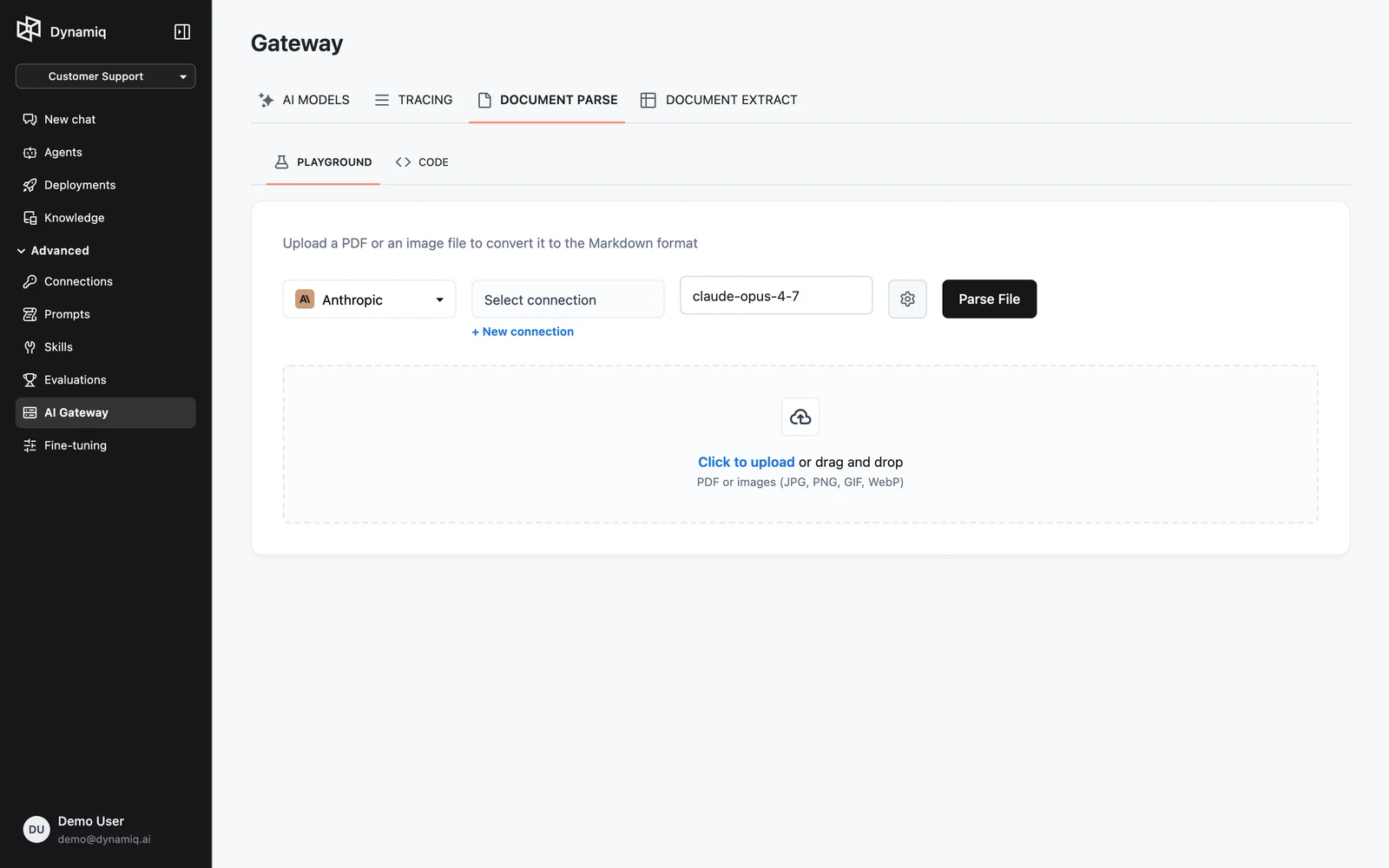
In your project, open AI Gateway and switch to the DOCUMENT PARSE tab. The PLAYGROUND sub-tab is active by default; the CODE sub-tab shows an equivalent API snippet.
Choose the LLM
Use the Select LLM dropdown to pick a provider, then choose the model and the Connection holding that provider's credentials. The Settings gear exposes temperature, max tokens, and — for models that support it — reasoning effort. Pick a vision-capable model: it will read page images directly.
Upload and parse
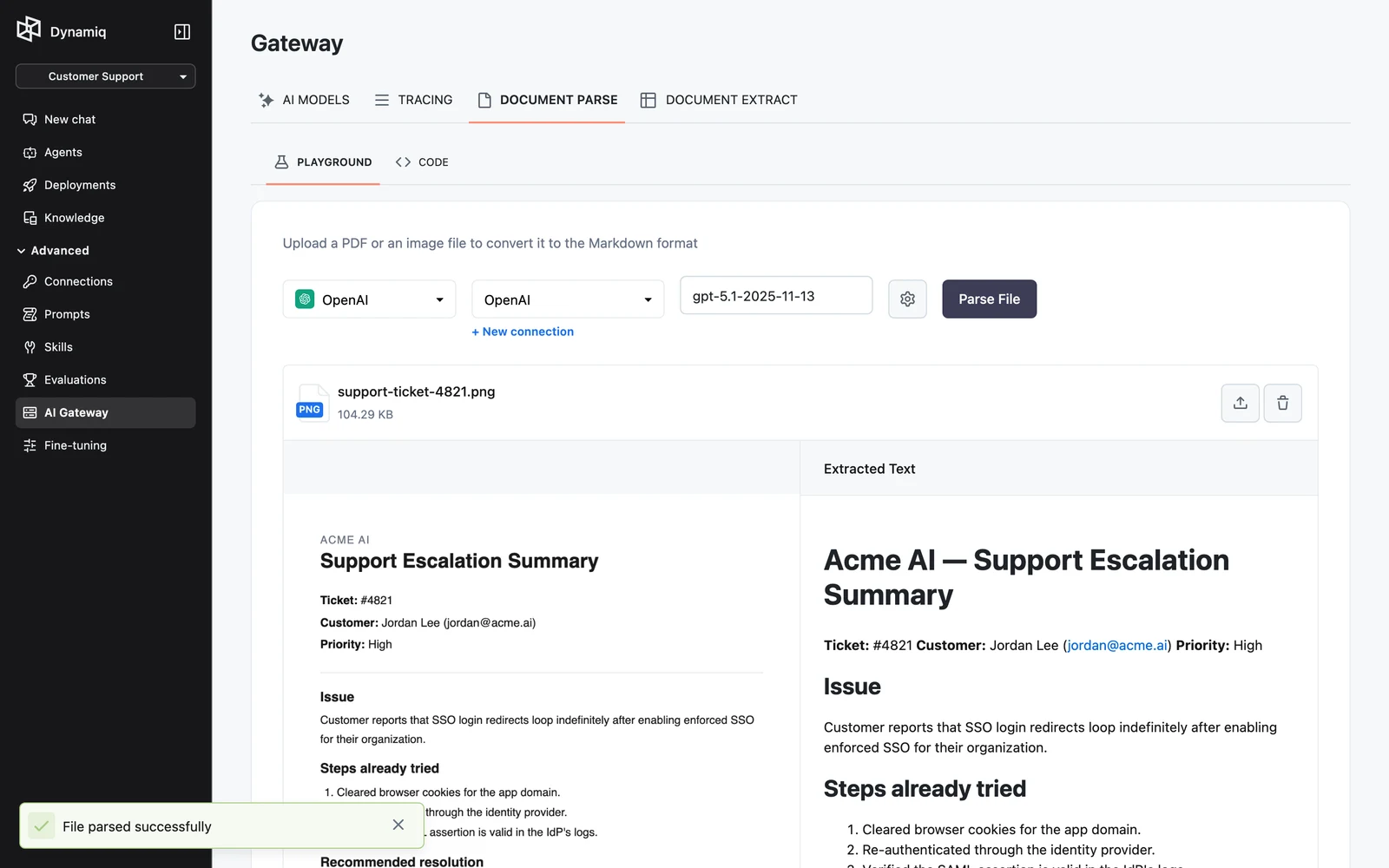
Drop a PDF or image file into the dropzone and click Parse File. When parsing finishes, the extracted Markdown appears next to the file preview.
How files are handled
The endpoint detects the file type from the filename's MIME type, falling back to content sniffing (a %PDF header means PDF; anything else is treated as an image). PDFs run through the LLM PDF Converter and images through the LLM Image Converter — the same nodes you can use inside workflows — with one output document produced per file.
Call the API
POST https://api.getdynamiq.ai/v1/ocr/parse is a multipart/form-data request with two fields:
filefilerequiredoptionsstring (JSON)requiredThe options JSON:
llmobjectrequiredstreambooleanimport json
import os
import requests
response = requests.post(
"https://api.getdynamiq.ai/v1/ocr/parse",
headers={"Authorization": f"Bearer {os.getenv('DYNAMIQ_PAT')}"},
files={"file": open("document.pdf", "rb")},
data={
"options": json.dumps(
{
"llm": {
"type": "openai",
"model": "gpt-4o",
"connection_id": os.getenv("DYNAMIQ_CONNECTION_ID"),
"temperature": 0.0,
"max_tokens": 4096,
},
"stream": False,
}
)
},
)
response.raise_for_status()
print(response.json()["data"]["text"])curl https://api.getdynamiq.ai/v1/ocr/parse \
-H "Authorization: Bearer $DYNAMIQ_PAT" \
-F "file=@document.pdf" \
-F 'options={"llm": {"type": "openai", "model": "gpt-4o", "connection_id": "'"$DYNAMIQ_CONNECTION_ID"'", "temperature": 0.0, "max_tokens": 4096}, "stream": false}'options must be a JSON string inside the multipart form — serialize it with json.dumps rather than passing a nested object.
Response
{
  "data": {
    "text": "# Invoice 4812\n\n| Item | Amount |\n| --- | --- |\n| Pro plan (June) | $49.00 |"
  }
}
data.text is the trimmed Markdown content of the document. With "stream": true the response is an SSE stream of extraction events instead.
Errors
| Status | Cause |
|---|---|
422 | The options field is not valid JSON or fails validation |
400 | The OCR run failed — unreadable file, LLM error, or no text extracted; the error detail explains which |
401 | Missing or invalid credentials |