AI Gateway Overview
One OpenAI-compatible endpoint for many LLM providers, plus trace ingestion and LLM-powered document parsing and extraction.
The AI Gateway gives your backend services three capabilities behind Dynamiq credentials: an OpenAI-compatible chat completions endpoint that routes to multiple providers, a trace collector for workflows built with the open-source Dynamiq SDK, and document AI endpoints that turn PDFs and images into Markdown or structured JSON. None of it requires deploying a workflow — you call the chat completions endpoint with an Access Key, and document AI endpoints with a Personal Access Token.
What's in the gateway
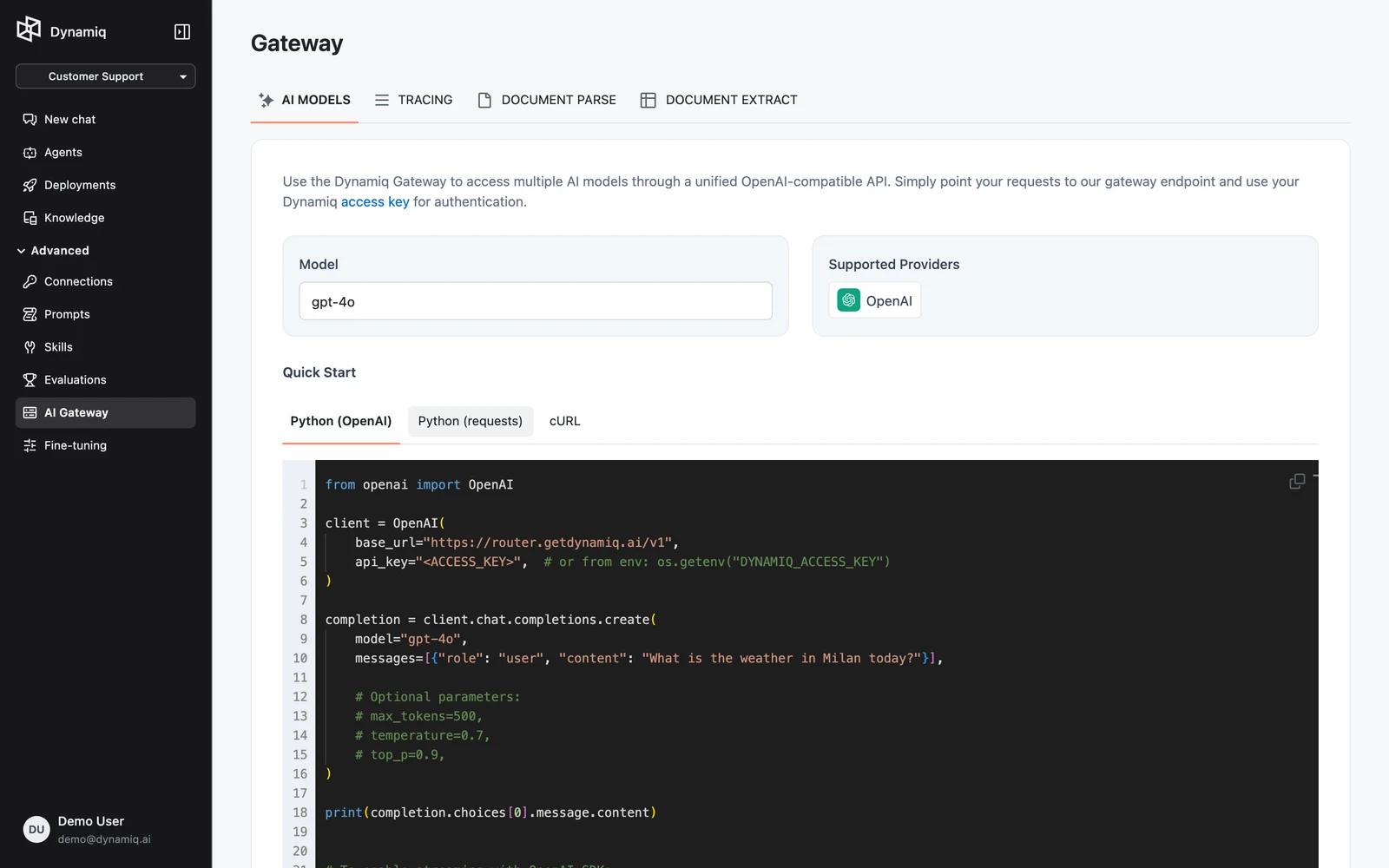
Open AI Gateway in your project's sidebar. The page has four tabs:
| Tab | What it does | Docs |
|---|---|---|
| AI MODELS | Browse routable models and their providers; copy ready-made client code for https://router.getdynamiq.ai/v1/chat/completions | AI Models Router |
| TRACING | View traces ingested from open-source Dynamiq workflows via https://collector.getdynamiq.ai | Tracing |
| DOCUMENT PARSE | Convert a PDF or image to Markdown with an LLM-based OCR pipeline | Document Parse |
| DOCUMENT EXTRACT | Pull structured JSON out of a document using a schema template | Document Extract |
One endpoint, many providers
The models router speaks the OpenAI chat completions protocol. You keep your existing OpenAI SDK code and swap two values — the base URL and the API key:
import os
from openai import OpenAI

client = OpenAI(
    base_url="https://router.getdynamiq.ai/v1",
    api_key=os.getenv("DYNAMIQ_ACCESS_KEY"),
)
The model you pass is a Dynamiq router model slug. The gateway looks up which provider serves that model, resolves the provider's credentials from a Dynamiq-managed Connection on the server side, and relays the request — your client never holds a provider API key.
When to use the gateway vs. calling a provider directly
Use the gateway when:
- You want one credential for every model. A single Dynamiq Access Key replaces per-provider API keys in your services, and revoking it is one operation in Settings → Access Keys.
- You switch models often. Changing
modelfrom one slug to another is the whole migration — the request and response shapes stay OpenAI-compatible regardless of the upstream provider. - Usage should be metered per organization. Gateway completions count against your organization's plan quota, so consumption is governed in one place.
Call a provider directly when:
- You need endpoints beyond chat completions. The router exposes
POST /v1/chat/completionsonly — embeddings, audio, image, and other provider-specific APIs are not proxied. - You need a request shape the chat completions protocol can't express. Extra request fields are passed through to the provider, but anything that isn't a chat-completions-style call needs a direct integration.
The gateway covers ad-hoc LLM calls from your own code. If you want managed prompts, agents, tools, and guardrails around the model call, build a Workflow and deploy it as an App instead.
Authentication
The chat completions and trace endpoints authenticate with an Access Key sent as a Bearer token; document AI endpoints use a Personal Access Token instead:
Authorization: Bearer $DYNAMIQ_ACCESS_KEYCreate one under Settings → Access Keys. For sending traces to the collector, the key must be project-scoped so the gateway knows which project the traces belong to; for chat completions, org- and project-scoped keys both work. See Authentication for the full credential matrix.