Overview
What Dynamiq is, the four pillars of the platform, and where to start based on what you want to build.
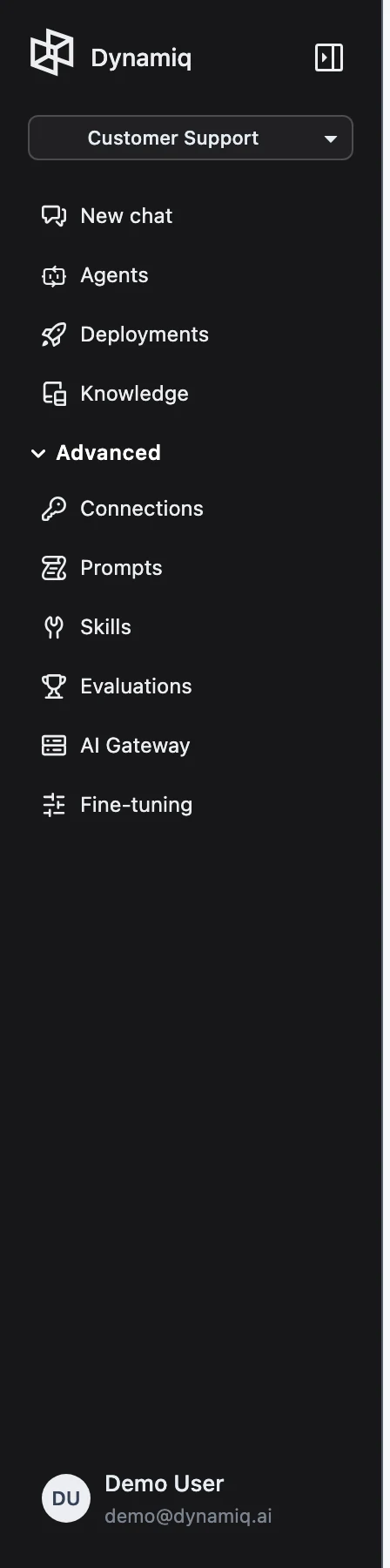
Dynamiq is an operations platform for agentic AI: you build AI agents and workflows visually, deploy them as production HTTP endpoints, ground them in your own data, and monitor every run with full traces. This page maps the platform's main surfaces so you know exactly where to start.
The four pillars
Chat — the super agent
Chat is the fastest way to get value from Dynamiq without building anything. It is a general-purpose agent that can search the web, read files you attach, and work with apps you connect (Google Drive, Gmail, Notion, Slack, and more). The same surface also lets you talk to your own deployed agents — switch between Dynamiq Agent and Custom Agents in the selector at the top of the chat.
Start here: Quickstart: Chat and the Chat overview.
Workflows — the visual builder
A Workflow is a buildable DAG of nodes on a canvas: LLMs, the Agent node, tools (web search, scraping, code sandboxes, HTTP calls, MCP servers), retrievers, validators, and transformers. You connect nodes, configure them in a side panel, and test runs directly in the editor before anything ships. In the sidebar this area is labeled Agents.
Start here: Quickstart: Build an Agent and the Workflows overview.
Deployments — workflows in production
Deploying a workflow creates an App: a versioned HTTP endpoint with its own hostname that you call with an Access Key. Apps support synchronous requests, Server-Sent Events streaming, WebSockets, and async callbacks, and every invocation is recorded as a run with a full trace. The app page gives you monitoring, deployment history, traces, sessions, ready-made integration code, triggers, and a test console.
Start here: Quickstart: Deploy & Call Your Agent and the Deployments overview.
Knowledge Bases — your data, retrievable
A Knowledge Base ingests documents from uploads or data sources, chunks and embeds them, and exposes semantic search to your agents and workflows. Connect a Knowledge Base to an Agent node and the agent retrieves grounded context automatically.
Start here: Knowledge Bases overview.
Platform vs. open-source SDK
Dynamiq ships in two forms that share the same concepts:
- The platform (these docs) — the hosted UI and APIs: Chat, the visual workflow builder, Deployments, Knowledge Bases, Evaluations, the AI Gateway, and organization administration. No code required to build and ship an agent.
- The open-source Python SDK — the
dynamiqlibrary for engineers who prefer to define workflows, agents, and tools in code. Workflows built in the platform UI and workflows defined with the SDK use the same node model, and SDK-defined workflows can be deployed and traced on the platform. See the SDK tab of these docs.
Use the platform when you want the visual builder, managed deployments, and team collaboration; use the SDK when agent logic lives in your codebase. Most teams use both.
Pick your path
I want answers now
Use Chat: attach files, connect your apps, and get your first answer in five minutes.
I want to build an agent
Create a workflow, add an Agent node with a web search tool, and test it on the canvas.
I want an API endpoint
Deploy a workflow as an App and call it over HTTP with curl, Python, or TypeScript.
How resources are organized
Everything you create lives in a Project, and Projects belong to an Organization. Workflows, Apps, Knowledge Bases, Connections, Prompts, and Skills are project-scoped; members, billing, and Access Keys are managed at the organization level (an Access Key can optionally be scoped down to one project). The full hierarchy and glossary are in Core Concepts.