Service Deployments
Run any Docker container on Dynamiq — bring an image or a source bundle and get a hostname with Access Key auth, pods, logs, and traces.
A Service deployment runs an arbitrary Docker container on the platform's Kubernetes infrastructure. Bring a prebuilt image or a source bundle with a Dockerfile (Dynamiq builds it for you), and get a hostname with optional Access Key authorization, deployment history, live pod logs, and traces — without operating a cluster.
Service deployments are gated by platform configuration: the feature ships disabled by default (services.enabled: false in the API server's base config). If the Service option is missing or service API calls fail in your environment, ask your platform administrator to enable it.
What services are for
Use a service when your workload doesn't fit the Workflow App or AI Model shape:
- A custom API built with the Dynamiq Python SDK (a FastAPI app wrapping an Agent, for example).
- Off-the-shelf containers such as the Unstructured document-processing API or a PaddleOCR-VL OCR service.
- Long-running workers like a LiveKit voice agent. This preset deploys a worker you build and operate yourself — it is unrelated to Dynamiq's managed Voice Agents, which need no service deployment.
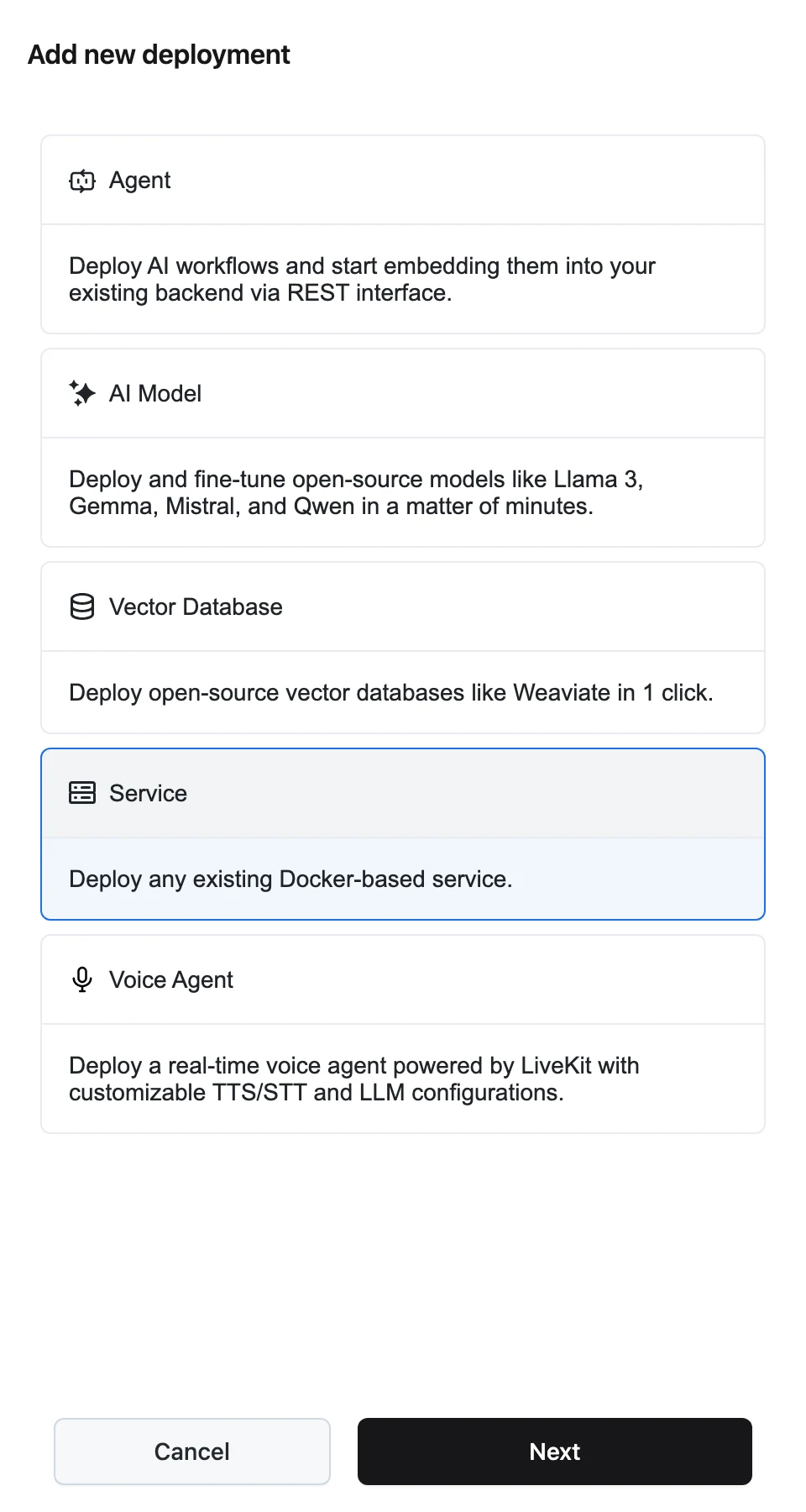
These four are exactly the presets the UI walks you through: clicking Add new deployment → Service → Next opens a panel with Dynamiq Agent, Unstructured, LiveKit Voice Agent, and PaddleOCR-VL tabs containing copyable step-by-step CLI instructions. There is no form here — services are created and deployed from the command line or the API.
The container contract
Whatever you deploy must fit these rules:
- Listen on port 8080. The service's hostname routes to container port
8080. - Run as a non-root user. Containers run with UID/GID 1000, a read-only root filesystem, and no privilege escalation. Only
/tmpis writable (512 MiB) — point caches there (for exampleHF_HOME=/tmp/huggingface). - Environment variables you pass at deploy time are injected into the container; variables marked as secret are stored in a Kubernetes Secret instead of the pod spec.
- Dynamiq injects
DYNAMIQ_SERVICE_IDandDYNAMIQ_SERVICE_TOKEN— a service-scoped token your code can use to report traces to the platform.
Deploy with the CLI
The dynamiq CLI ships with the Python SDK and is the workflow the UI instructions follow.
Install and configure
pip install dynamiq
dynamiq config
Then select your working context — list and set the organization, project, and resource profile:
dynamiq org list
dynamiq org set --id <ORG_ID>
dynamiq project list
dynamiq project set --id <PROJECT_ID>
dynamiq resource-profile list
dynamiq resource-profile set --id <RESOURCE_PROFILE_ID>
Create the service
dynamiq service create --name my-serviceThis registers the service and prints its ID. The service gets its hostname now; deployments roll new versions onto it.
Deploy a version
From source (Dynamiq builds the image from your Dockerfile):
dynamiq service deploy --id <YOUR_SERVICE_ID> \
                       --source ./ \
                       --docker-file Dockerfile \
                       --resource-profile <RESOURCE_PROFILE_ID> \
                       --env ENV_VAR_NAME ENV_VAR_VALUE
Or from a prebuilt image:
dynamiq service deploy --id <YOUR_SERVICE_ID> \
                       --image downloads.unstructured.io/unstructured-io/unstructured-api:latest \
                       --resource-profile <RESOURCE_PROFILE_ID> \
                       --env PORT 8080
Check the status
dynamiq service status --id <YOUR_SERVICE_ID>A source deployment moves through building → deploying → succeeded (or build_failed / deployment_failed); an image deployment skips the build and starts at deploying.
Deploy via the management API
The same operations are available on https://api.getdynamiq.ai with a Personal Access Token:
| Method & path | What it does |
|---|---|
POST /v1/services | Create a service |
GET /v1/services?project_id={id} | List services in a project |
GET /v1/services/{service_id} | Get one service (includes its hostname) |
PUT /v1/services/{service_id} | Update description or access control |
POST /v1/services/{service_id}/deploy | Deploy a new version |
GET /v1/services/{service_id}/deployments | List deployments (newest first) |
GET /v1/services/{service_id}/pods | List running pods |
GET /v1/services/{service_id}/pods/{pod_name}/logs | Stream pod logs |
GET /v1/services/{service_id}/traces | List the service's traces |
DELETE /v1/services/{service_id} | Delete the service, its deployments, stored sources, and traces |
Create takes name (required), description, project_id (required), optional access_control ({"access_type": "private"} or "public"; defaults to private), and optional category.
POST /v1/services/{service_id}/deploy has two content types. With application/json, pass a prebuilt image; with multipart/form-data, upload a source file (a .tar.gz of your build context) plus a data JSON part that must include docker. The JSON fields:
imagestringdockerobjectresource_profile_iduuidresourcesobjectenvarrayautoscalingobjectstartup_probeobjectcommandarrayargsarray# Create the service
curl -X POST "https://api.getdynamiq.ai/v1/services" \
-H "Authorization: Bearer $DYNAMIQ_PERSONAL_ACCESS_TOKEN" \
-H "Content-Type: application/json" \
-d '{
"name": "ocr-service",
"project_id": "11111111-1111-1111-1111-111111111111",
"access_control": {"access_type": "private"}
}'
# Deploy from a source bundle (multipart)
curl -X POST "https://api.getdynamiq.ai/v1/services/$SERVICE_ID/deploy" \
-H "Authorization: Bearer $DYNAMIQ_PERSONAL_ACCESS_TOKEN" \
-F "source=@service.tar.gz" \
-F 'data={"docker":{"file":"Dockerfile","context":"."},"resource_profile_id":"22222222-2222-2222-2222-222222222222","env":[{"name":"LOG_LEVEL","value":"info","secret":false}]}'Source uploads are built into an image on the platform (with Kaniko) and pushed to the platform's registry before rollout.
Endpoint and authorization
Every service has a hostname (shown on the service page header). Requests to it are proxied to your container's port 8080, including WebSocket upgrades.
- Private (the default) — every request must carry an org- or project-scoped Access Key as a Bearer token; a project-scoped key must belong to the service's project.
- Public — anyone with the hostname can call the service. Switch with
PUT /v1/services/{service_id}and{"access_control": {"access_type": "public"}}.
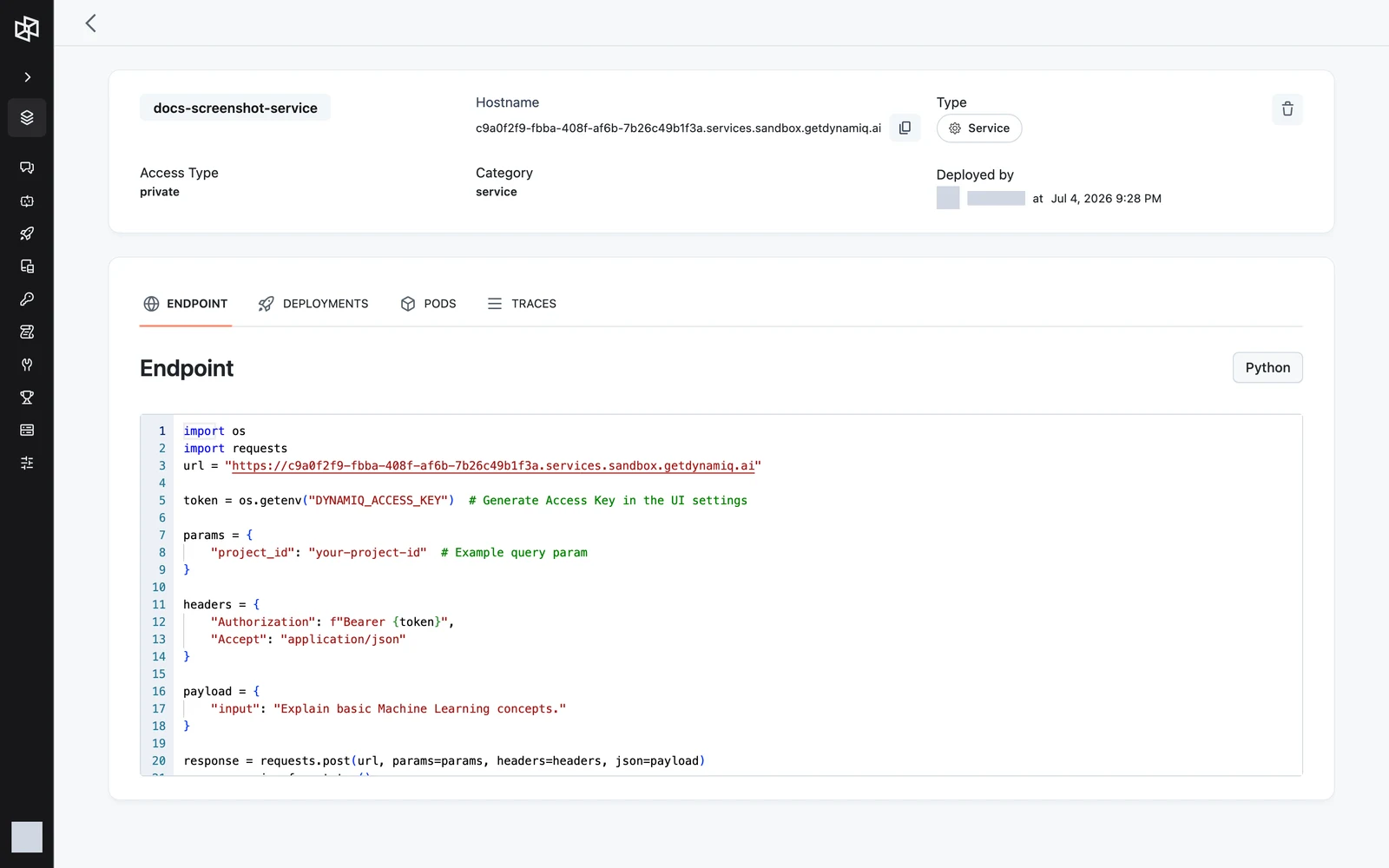
The ENDPOINT tab shows a ready-to-copy Python snippet; the path and payload are whatever your container serves:
import os
import requests

url = "https://<your-service-hostname>/search"
headers = {
    "Authorization": f"Bearer {os.getenv('DYNAMIQ_ACCESS_KEY')}",
    "Accept": "application/json",
}

response = requests.get(url, params={"query": "latest AI research"}, headers=headers)
response.raise_for_status()
print(response.json())
The service page
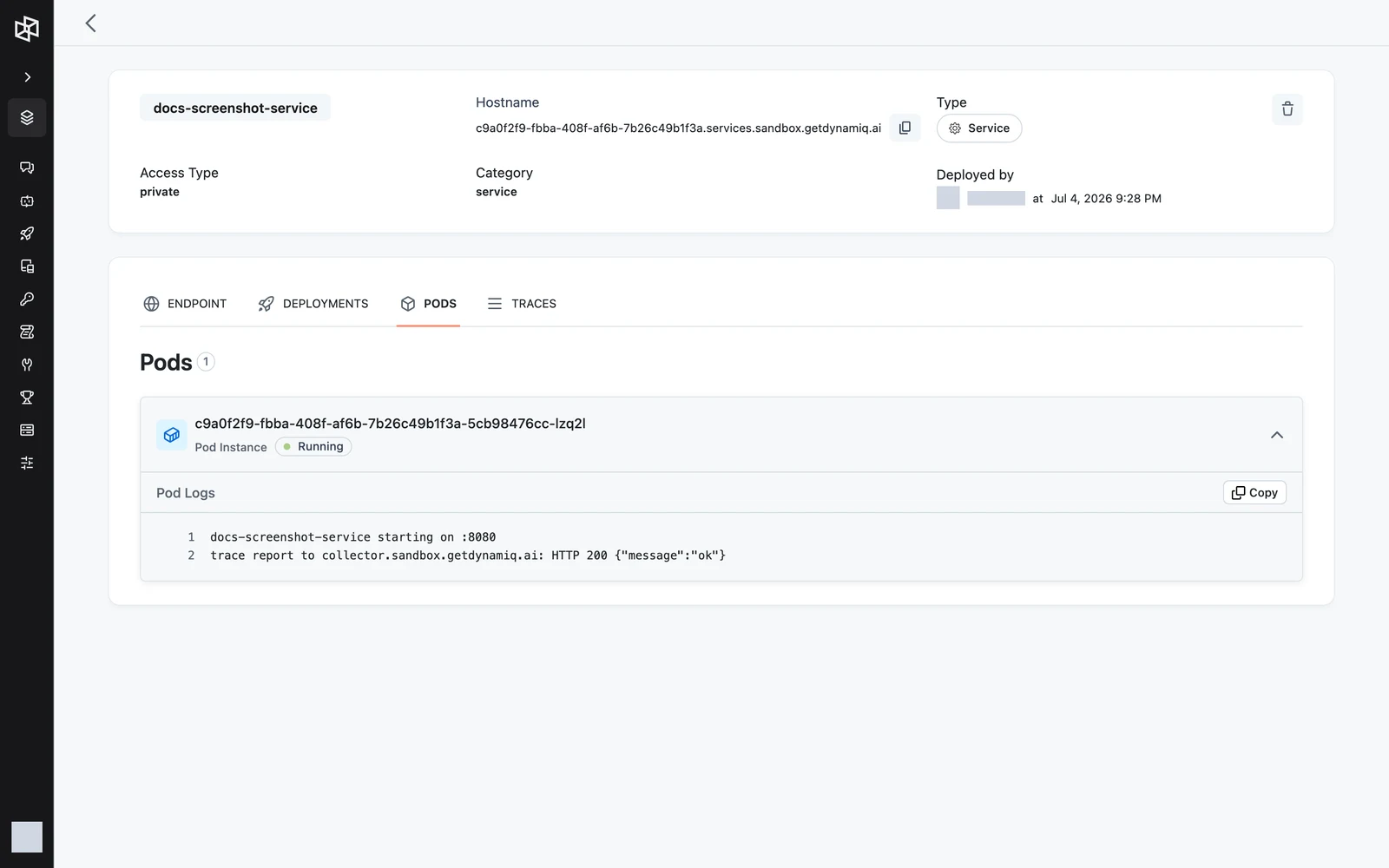
The header shows the service's name, Access Type, Hostname (with a copy button), Category, and Deployed by. Four tabs sit below it:
Endpoint
The ENDPOINT tab — the Python call snippet above, prefilled with your hostname.
Deployments
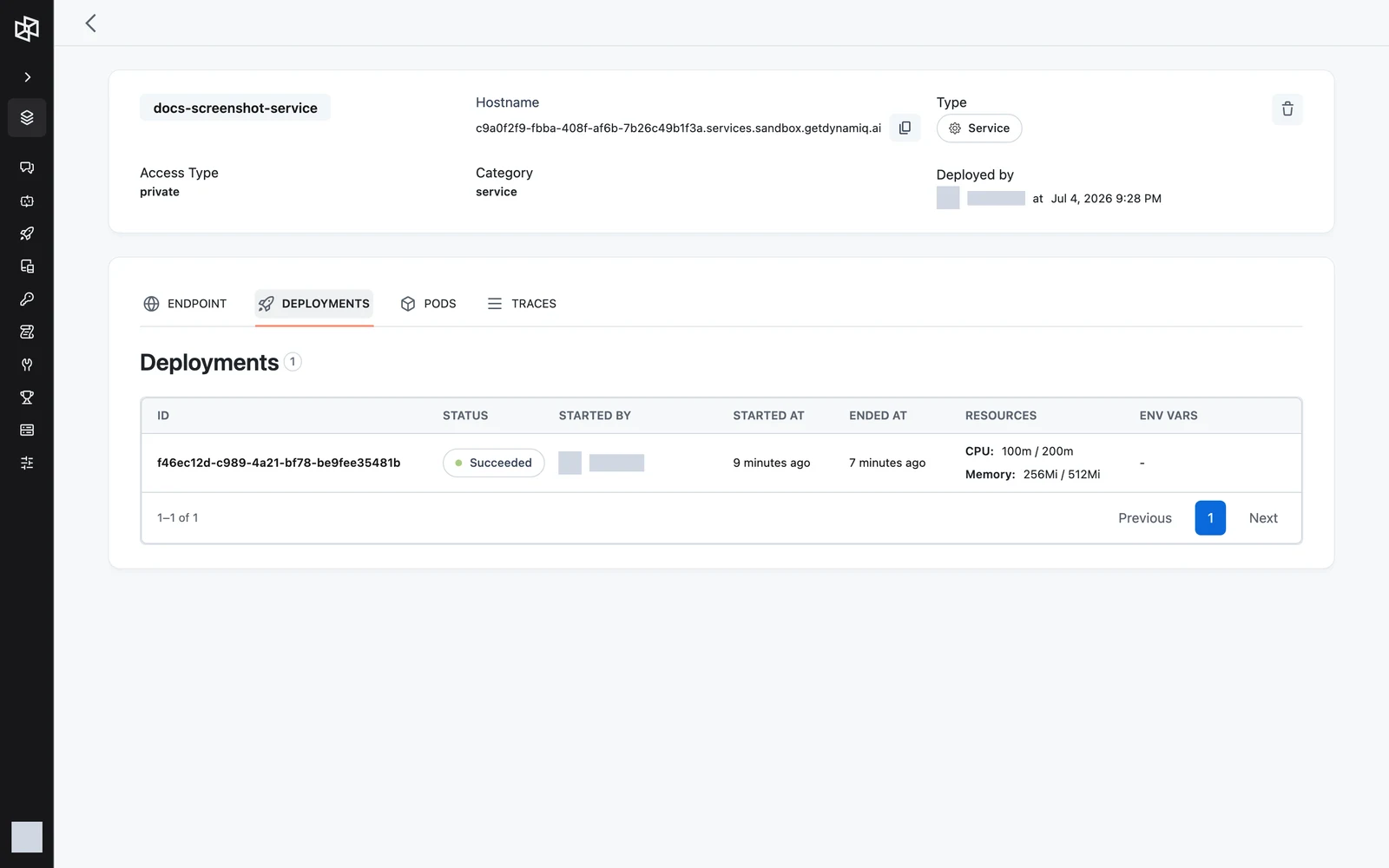
The DEPLOYMENTS tab lists every deployment of the service — columns ID, STATUS, STARTED BY, STARTED AT, ENDED AT, RESOURCES, and ENV VARS — so you can see which image or build went out, when, and with what configuration.
Pods
The PODS tab lists the pods currently backing the service with their status; expand a pod to stream its live logs (GET /v1/services/{service_id}/pods/{pod_name}/logs streams plain text — the last 1000 lines, then follows).
Traces
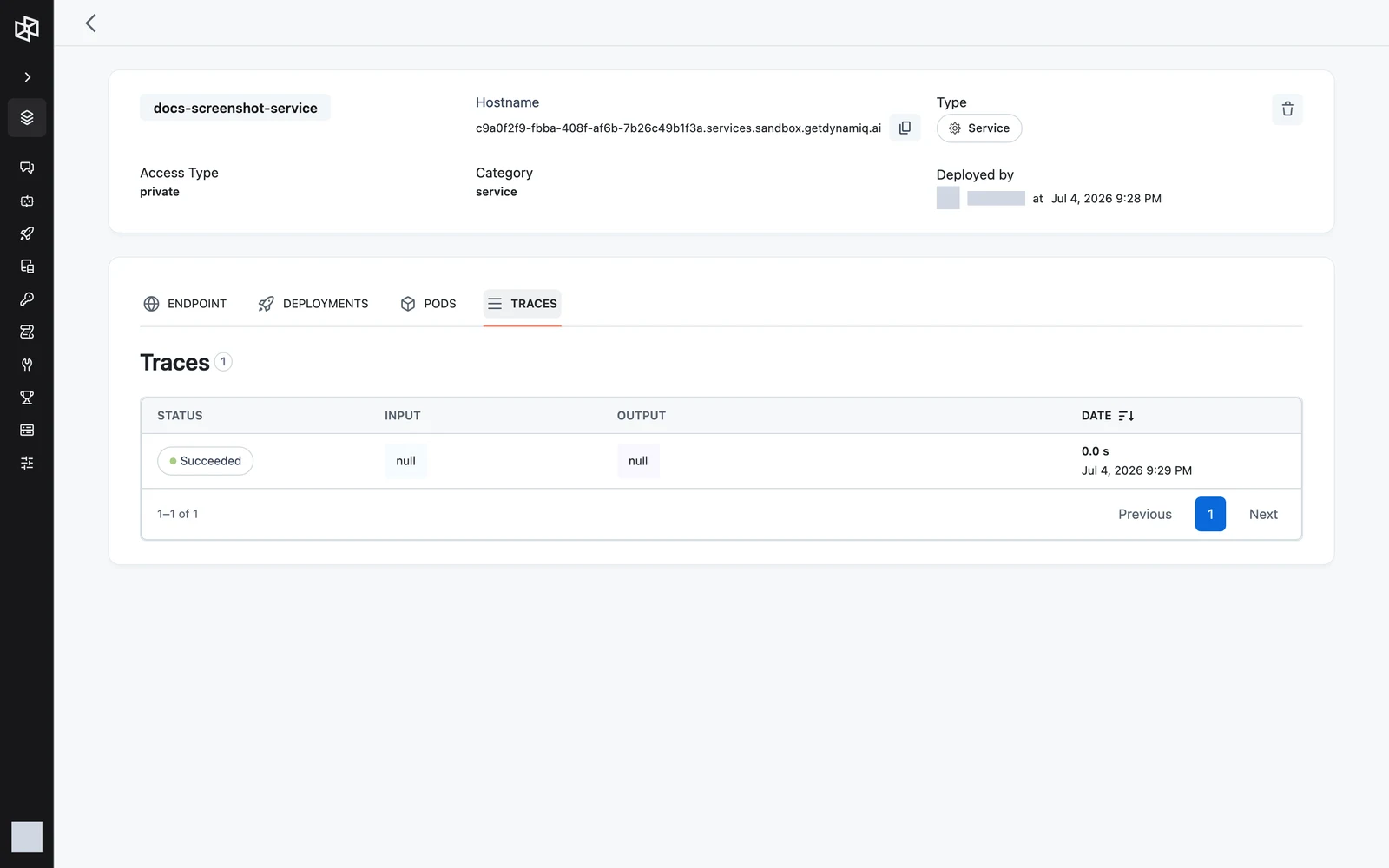
The TRACES tab lists Traces attributed to this service. Code inside the container that reports traces to the Dynamiq trace collector (https://collector.getdynamiq.ai) authenticated with the injected DYNAMIQ_SERVICE_TOKEN shows up here automatically — the token identifies the service, so no extra wiring is needed.