Subagents & Delegation
Attach agents as tools of other agents — specialist delegation, delegate_final passthrough, parallel-safe factories, and per-run call limits.
A subagent is an Agent attached as a tool of another agent. The parent's LLM sees it like any other tool — a name and a description — and delegates a subtask by calling it with an input. Subagents keep each agent's role and tool list small: a manager that plans, a researcher that searches, an analyst that computes, instead of one agent juggling fifteen tools.
Add a subagent in the UI
Attach an Agent as a tool
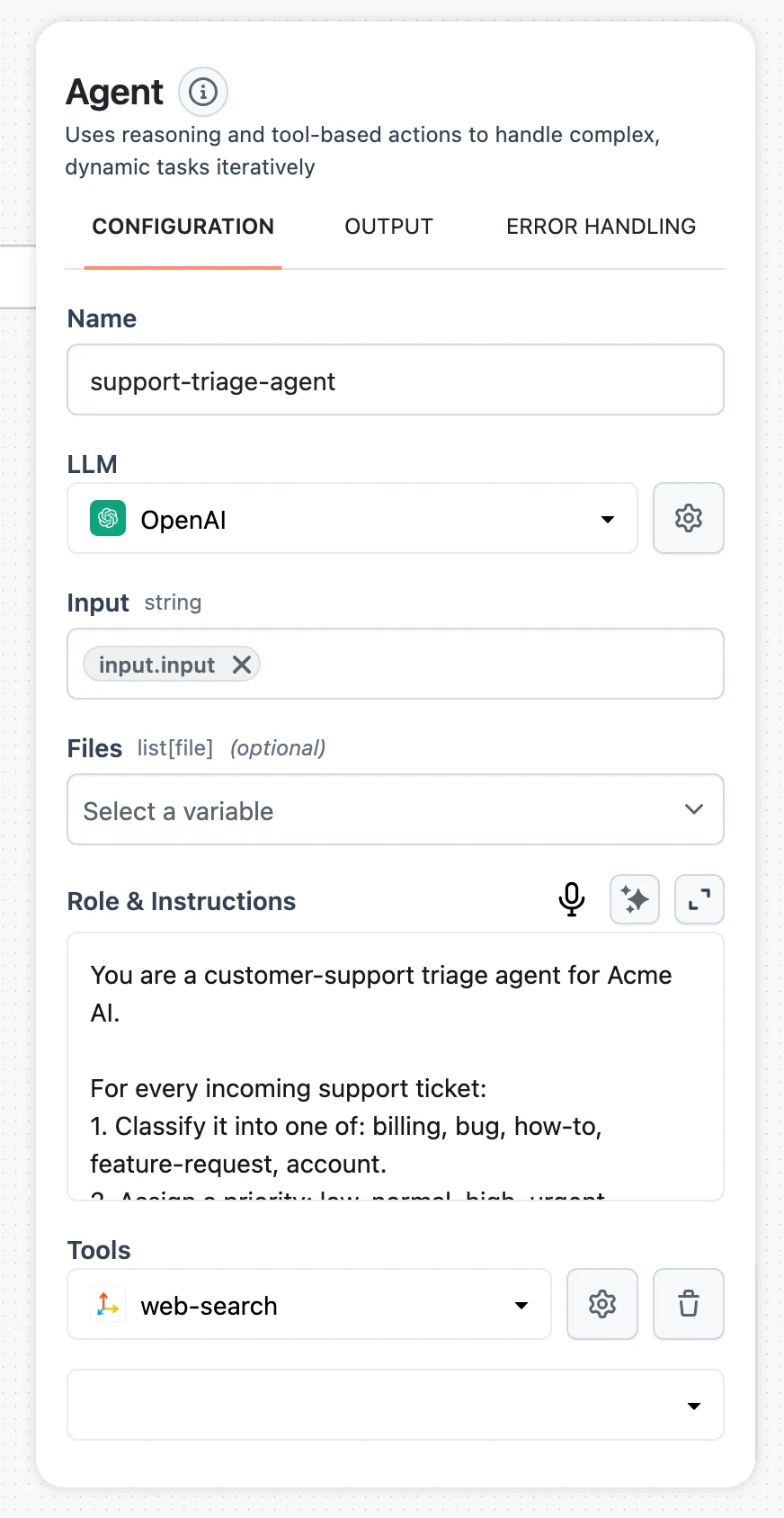
Select the parent Agent node, and under Tools click Add tool. Pick Agent from the selector — the child agent appears nested under the parent, with its own configuration (LLM, role, tools) opened via the gear icon.
Write the child's Description
When you open a child agent's configuration, it shows a Description field that top-level agents don't have. This is what the parent's LLM reads when deciding whether to delegate — write it like a tool description: what the subagent does and what input it expects, e.g. Researches a topic on the web. Call with {"input": "<topic>"}.
Decide on Allow delegation
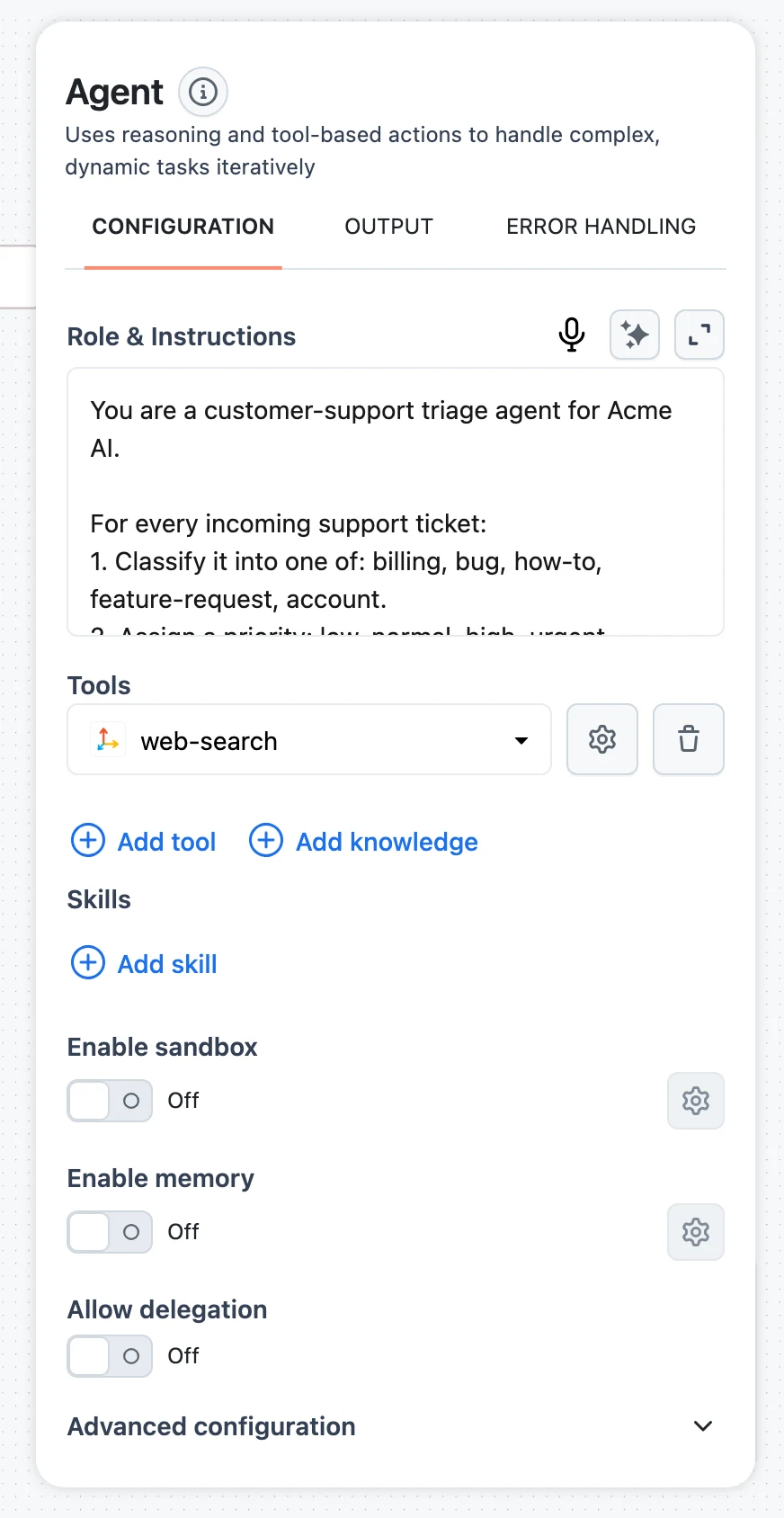
On the parent agent, the Allow delegation toggle (off by default) controls whether a subagent's answer can be returned directly as the parent's final answer — see delegate_final below. Leave it off if the parent should always review and combine subagent results itself.
How a delegation call works
The parent calls the subagent with three fields:
inputstringbriefstringfilesarrayThe subagent runs its own complete reasoning loop — its own thoughts, tool calls, and context window — and returns its final answer to the parent as a tool observation. The parent's user/session IDs and metadata are propagated to the child automatically, so memory and traces stay correlated. Every child run is recorded as a nested span in the run's trace.
delegate_final: return the subagent's answer directly
By default the parent reads the subagent's answer and writes its own final answer — useful when combining results, wasteful when the subagent's output is the deliverable (a formatted report, a structured brief). With Allow delegation on, the parent's LLM can include "delegate_final": true in a subagent call, and the platform returns that subagent's answer verbatim as the run's final output:
- The parent makes no further LLM call after the delegated tool returns — no re-summarization, no formatting drift, lower latency and cost.
- The subagent's answer is streamed as the final answer, and any files it produced are passed through.
- The flag only works on agent tools, and only for a single (non-parallel) call.
- When Allow delegation is off,
delegate_finalis stripped from tool inputs and ignored.
Nudge the parent's role to use it: "When you call the Researcher, include "delegate_final": true so its response is returned directly. Do not rewrite its output."
SDK: SubAgentTool
In the Python SDK, passing an Agent in another agent's tools list wraps it in a SubAgentTool automatically. You can also construct SubAgentTool explicitly to control how child instances are created:
namestringrequireddescriptionstringrequiredagentAgentagent_factorycallable | dictvalidate_factorybooleanmax_callsinteger | nullShared instance vs. factory
The two modes have different concurrency behavior, and the tool tells the LLM which one it is by appending a hint to its description:
agent(shared instance) — every call reuses the same agent object, so calls run sequentially. Hint appended: "[Shared agent: all calls reuse the same instance — calls are executed sequentially.]"agent_factory(fresh per call) — each invocation builds an isolated agent, so the parent can fan out parallel calls safely (parallel_tool_calls_enabled=Trueon the parent). Hint appended: "[Independent agent: each call spawns a fresh instance — safe to call in parallel.]"
Call limits
Set max_calls to cap how many times the parent may invoke a given subagent per run. When the budget is spent (including across a parallel batch), the parent receives an observation telling it the limit is exceeded and to use other tools or finish with what it has — a cheap guard against delegation loops.
Patterns
Specialist delegation with delegate_final
A manager routes the request to the right specialist and returns the specialist's answer untouched:
from dynamiq import Workflow
from dynamiq.connections import OpenAI as OpenAIConnection, Tavily as TavilyConnection
from dynamiq.flows import Flow
from dynamiq.nodes.agents import Agent
from dynamiq.nodes.llms import OpenAI
from dynamiq.nodes.tools import TavilyTool

llm = OpenAI(connection=OpenAIConnection(), model="gpt-4o")

researcher = Agent(
    name="Researcher Agent",
    description='Researches a topic and returns a markdown brief. Call with {"input": "<topic>"}',
    role="You are a concise researcher. Produce a short markdown brief with 3-5 bullet points.",
    llm=llm,
    tools=[TavilyTool(connection=TavilyConnection())],
    max_loops=4,
)

manager = Agent(
    name="Manager Agent",
    role=(
        "You hand research tasks to the Researcher Agent. "
        'When you call it, include "delegate_final": true so its response is returned directly. '
        "Do not rewrite its output."
    ),
    llm=llm,
    tools=[researcher],          # wrapped in SubAgentTool automatically
    delegation_allowed=True,     # the Allow delegation toggle
    max_loops=3,
)

wf = Workflow(flow=Flow(nodes=[manager]))
result = wf.run(input_data={"input": "State of open-weight LLMs in 2026"})
print(result.output[manager.id]["output"]["content"])
Research fan-out with a factory
For "research these five companies" style tasks, give the parent a factory-based subagent and parallel tool calls — each delegation gets its own isolated researcher:
from dynamiq import Workflow
from dynamiq.connections import OpenAI as OpenAIConnection, Tavily as TavilyConnection
from dynamiq.flows import Flow
from dynamiq.nodes.agents import Agent
from dynamiq.nodes.llms import OpenAI
from dynamiq.nodes.tools import TavilyTool
from dynamiq.nodes.tools.agent_tool import SubAgentTool


def make_researcher() -> Agent:
    # Build everything inside the factory: no shared instances.
    return Agent(
        name="Researcher",
        role="Research the given company and return a 5-bullet profile.",
        llm=OpenAI(connection=OpenAIConnection(), model="gpt-4o-mini"),
        tools=[TavilyTool(connection=TavilyConnection())],
        max_loops=4,
    )


researcher_tool = SubAgentTool(
    name="Researcher",
    description='Researches one company. Call with {"input": "<company name>"}',
    agent_factory=make_researcher,
    max_calls=5,
)

coordinator = Agent(
    name="Coordinator",
    role="Split the request into one research call per company, run them in parallel, then merge the profiles.",
    llm=OpenAI(connection=OpenAIConnection(), model="gpt-4o"),
    tools=[researcher_tool],
    parallel_tool_calls_enabled=True,
    max_loops=6,
)

wf = Workflow(flow=Flow(nodes=[coordinator]))
result = wf.run(input_data={"input": "Profile Anthropic, Mistral, and Cohere."})
print(result.output[coordinator.id]["output"]["content"])
Subagents vs. orchestrators
Subagents are bottom-up: one parent agent decides at runtime when and what to delegate. If you instead want a top-level coordinator with a fixed set of managed agents and an explicit control flow, use the orchestrator nodes — Linear, Adaptive, or Graph.
Sandbox
Give your agent a full Linux computer — an isolated E2B or Daytona VM with a shell, a filesystem, code execution, and public web previews.
Context Management & Summarization
Automatic history compaction for long agent runs — token-based triggers, what gets summarized vs. preserved, and how to tune the thresholds.