Context Management & Summarization
Automatic history compaction for long agent runs — token-based triggers, what gets summarized vs. preserved, and how to tune the thresholds.
Every thought, tool call, and observation an agent produces stays in its conversation history, and tool-heavy runs accumulate context fast: a few web searches, a couple of large file reads, twenty loop iterations — and the prompt no longer fits the model's context window. Context summarization solves this inside a single run: when token usage crosses a threshold, the agent compresses older history into a summary and keeps only the most recent messages verbatim.
How it works
- Watch — when summarization is enabled, the agent checks its prompt's token count during the run.
- Trigger — compaction fires when either condition is true:
- prompt tokens exceed Max token context length (if you set one), or
- prompt tokens divided by the model's context window exceed the Context usage ratio (default
0.8, i.e. 80% full).
- Split — the history (everything after the system prompt) is divided into two buckets: the newest messages are preserved verbatim, up to a token budget (
max_preserved_tokens, default 10,000), and everything older goes to the summarize bucket. Tool replies are never separated from the assistant turn that called them. - Summarize — a hidden
context-managertool generates the summary using the agent's own LLM. If the old history itself doesn't fit in one call, it is split into chunks sized bytoken_budget_ratio(default0.75of the model's window), each chunk summarized, and the chunk summaries merged. - Replace — the history becomes
[system prompt] + [summary observation] + [preserved recent messages]. The original user request is pinned: if it's not in the preserved tail, it's appended to the summary verbatim so repeated compactions never lose the task.
The context-manager tool is injected automatically — it never appears under Tools or on the canvas. Besides the automatic trigger, the model itself can decide to call it (its description warns the model to save anything important first), and it can pass notes — verbatim content like IDs and filenames that gets prepended to the summary untouched. Each compaction shows up in the run's trace as a tool call.
Enable it in the UI
Open Advanced configuration
Select the Agent node and expand the Advanced configuration accordion at the bottom of the configuration panel.
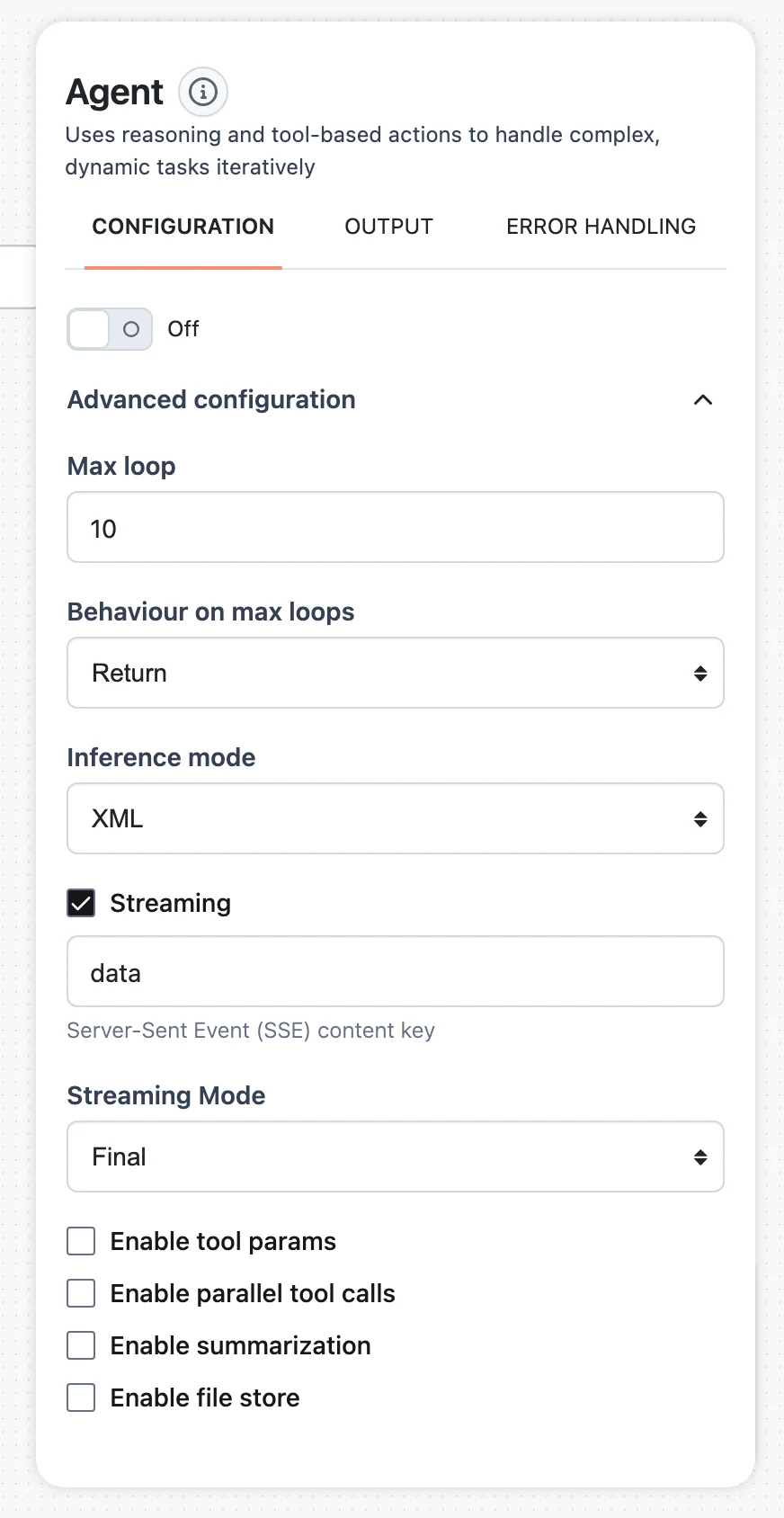
Check Enable summarization
Tick Enable summarization. Three fields appear:
- Max token context length — an absolute token threshold; compaction fires when the prompt exceeds it. Leave empty to rely on the ratio alone.
- Context usage ratio — a slider from 0 to 1, default
0.8: the fraction of the model's context window at which compaction fires. - Context history length — how much recent history to keep out of the summary, default
4.
SDK: SummarizationConfig
from dynamiq import Workflow
from dynamiq.connections import OpenAI as OpenAIConnection, Tavily as TavilyConnection
from dynamiq.flows import Flow
from dynamiq.nodes.agents import Agent
from dynamiq.nodes.agents.utils import SummarizationConfig
from dynamiq.nodes.llms import OpenAI
from dynamiq.nodes.tools import TavilyTool

agent = Agent(
    name="Research Agent",
    llm=OpenAI(connection=OpenAIConnection(), model="gpt-4o"),
    tools=[TavilyTool(connection=TavilyConnection())],
    role="You are a thorough researcher. Search broadly, then synthesize.",
    summarization_config=SummarizationConfig(
        enabled=True,
        max_token_context_length=60000,  # absolute cap, optional
        context_usage_ratio=0.8,         # ...or 80% of the model window
        max_preserved_tokens=10000,      # recent history kept verbatim
        token_budget_ratio=0.75,         # chunk size for the summarizer
    ),
    max_loops=20,
)

wf = Workflow(flow=Flow(nodes=[agent]))
result = wf.run(input_data={"input": "Survey the agent-framework landscape in depth."})
print(result.output[agent.id]["output"]["content"])enabledbooleanmax_token_context_lengthinteger | nullcontext_usage_ratiofloatmax_preserved_tokensintegertoken_budget_ratiofloatTuning guidance
- Tool-heavy, long runs (research, scraping, sandbox sessions): lower Context usage ratio to
0.6–0.7so compaction happens before the window is nearly full — a compaction pass itself needs headroom to run. - Detail-sensitive tasks: raise
max_preserved_tokensso more recent observations survive verbatim; the trade-off is that compaction frees less space and fires more often. - Cost control: summarization calls use the agent's own LLM, so every compaction adds LLM calls (more when history must be chunked). Setting Max token context length below the ratio threshold gives you a predictable per-call prompt cost ceiling.
- Prefer files over context when you have a sandbox: tool outputs over 7,000 characters are persisted as sandbox files automatically and only a preview enters the history, so the context fills far more slowly.
- Tool outputs are also independently capped — an agent truncates any single tool observation at its
tool_output_max_length(64,000 tokens by default) regardless of summarization.
What it looks like in a run
Until the threshold is crossed, nothing happens — there is no overhead for short runs (if the model calls context-manager when history is still small, the call is skipped with a "nothing to summarize" observation). After a compaction you'll see the agent continue with a condensed view of its earlier work: decisions, key tool results, and unresolved tasks survive in the summary, while verbatim transcripts of old tool outputs do not. If a specific value must survive compaction exactly (an ID, a URL, a file path), the agent should write it down — to a file via the file store or sandbox, or via the notes field when it triggers compaction itself.
Subagents & Delegation
Attach agents as tools of other agents — specialist delegation, delegate_final passthrough, parallel-safe factories, and per-run call limits.
File Store & Artifacts
Give your agent a file workspace without a full sandbox — file read/write/search tools, todo lists, and how files flow in and out of a run.