Sub-workflow Node
Run a released version of another workflow as one step — pick the workflow and version, map its Input fields, read its Output fields, and keep the pin stable across deployments.
The Sub-workflow node runs another workflow of the same project as a single step. Its Input fields become the node's inputs, its Output fields become the node's outputs, and the call is traced under the step so a run shows the callee nested beneath the caller. Build a decision — an eligibility check, a fraud screen, a pricing chain — once, and reuse it from every workflow that needs it, or run it once per item inside a Map node.
Configure a Sub-workflow on the canvas
Pick the workflow
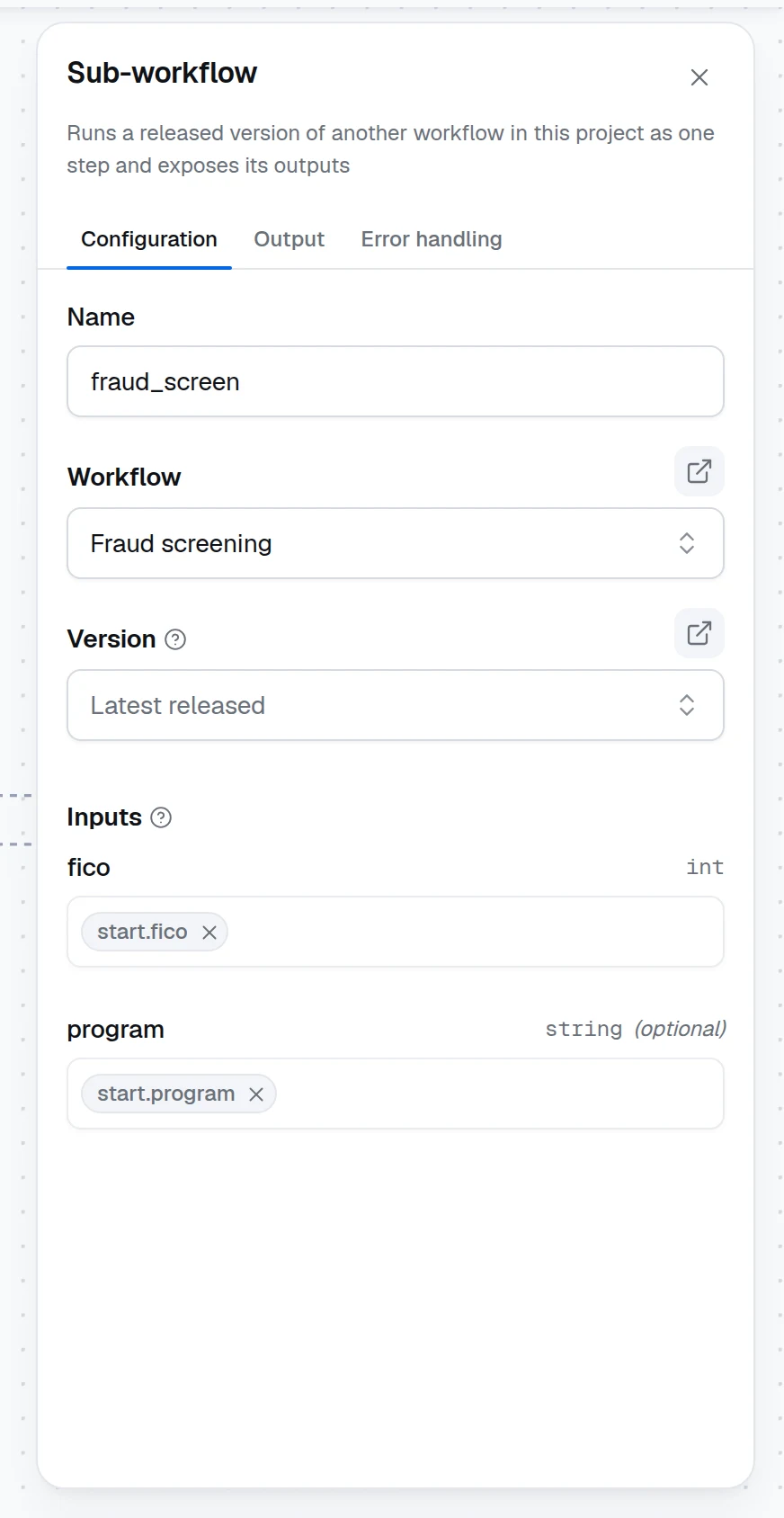
Drag Sub-workflow from the Logic group of the node palette onto the canvas. In its panel, choose a Workflow: the list holds the released workflows of the current project, never the workflow you are editing — a workflow cannot call itself, and a draft has no version to call. The button beside the label opens the chosen workflow in a new tab.
Pick the version
Version is Latest released by default: the newest version is resolved each time this workflow is saved, tested or deployed, so a deployment keeps the version it was built with even when the callee is released again later. Pin a specific Version to stop following new releases. The button beside the label opens the resolved version, read-only, in a new tab.
Map the inputs
Under Inputs, the panel lists the Input fields of the chosen version with their types; map each one from an upstream output with the variable picker (press /) or a typed value. A required field must be mapped. The callee's Output fields appear on the node's Output tab, ready for later nodes to read as $.<name>.output.<field>.
Keep the fields in sync
The node captures the target version's fields when you choose it. If the callee changes — a field is added, renamed or retyped in a later release — the panel offers Sync fields: click it to re-capture the Input and Output fields, then check the mappings. With a pinned version the fields never change under you; with Latest released the mismatch shows here before it reaches a run.
How it runs
- The mapped inputs are the callee's request; the callee's Output node fields are the node's result.
- Every run executes its own copy of the callee, so two Sub-workflow nodes calling the same workflow in parallel branches — or a Map running one over a batch — never share state, and a retried step starts clean.
- Under a dry run, what the callee's writers ingested is deleted when the whole run ends, not when the callee returns, so a step after the Sub-workflow node still reads it.
- The callee's nodes are traced under the step: expand the Sub-workflow node in the trace to read their inputs and outputs. A failing node inside the callee fails the step with a message naming that node.
- A workflow cannot call itself, directly or through another workflow: the editor never offers the workflow you are editing, and the runtime refuses to run a flow that is already running above the step.
- The Error handling tab applies to the whole call: a timeout bounds the callee's run, retries run it again, and Return lets the rest of the workflow continue past a failed callee.
Versions and deployments
A saved version of a workflow is a release. Latest released means the newest version at the moment the caller is saved, tested or deployed — a deployed App keeps the callee version it was built with until you redeploy, so a new release of a shared decision never changes a running App by surprise. Pin a version when a caller must stay on a known rule set; the version picker in the panel lists them newest first. See Versions and releases.
Test cases and coverage
When you run the caller's test cases, the callee runs too, but its result is the caller's business: cases are scored against the caller's Output node, and rule coverage counts only the caller's own Decision Tables and Rules nodes. Give the callee its own cases in its own editor.
Runtime and SDK
The node is dynamiq.nodes.operators.SubWorkflow. When the workflow is saved, tested or deployed, the platform resolves the chosen version and inlines its nodes as the node's flow, so the runtime sees a nested flow rather than a reference. The platform refuses a save, test or deployment whose sub-workflow names a workflow of another project, a workflow that calls itself directly or through other workflows (the message names the chain), a pinned version that was archived, a workflow without a released version, or sub-workflows nested more than eight levels deep. A test run of an unsaved flow admits a sub-workflow you can open yourself. The SDK class, the isolation rules and the nested-flow YAML form are in Sub-workflow.
Pitfalls
Expression Node
Compute derived values without code — named inputs, Jinja2 expressions for each output, typed results, and an optional pass-through of the inputs.
MCP Servers
Connect agents to Model Context Protocol servers over SSE or Streamable HTTP — tool discovery, filtering, auth headers, and troubleshooting.