Customer Support: Triage Agent
Build a support triage agent that answers from a product-docs Knowledge Base, holds multi-turn conversations, escalates to humans, and leaves an audit trail.
This journey builds a Support Triage Agent for a B2B software company — we'll call it Acme Cloud — whose support team wants to deflect tier-1 questions without losing control of what customers are told. The agent answers from a curated Product Docs Knowledge Base, falls back to web search for questions about third-party tools, remembers the conversation across turns, and hands off to a human agent when it cannot resolve the issue. Each step links the feature page with the full instructions; this page covers the shape of the solution and the decisions an enterprise team has to make along the way.
Scenario & outcomes
Acme Cloud's support team handles roughly 2,000 tickets a month; about 60% are how-to and configuration questions already answered in the product documentation. The team wants:
- KB-grounded answers — responses sourced from the official docs, not the model's general knowledge, so customers are never told about features that don't exist.
- Multi-turn conversations — a customer can ask a follow-up ("and how do I do that on the Team plan?") without repeating context.
- Escalation, not dead ends — when the agent is unsure or the customer asks for a human, the run pauses and a support engineer takes over.
- Two integration surfaces — a chat widget on the public help center, and API calls from the ticketing system that drafts replies for agents to review.
- Measurable quality — every release scored against a dataset built from real tickets before it ships.
Architecture
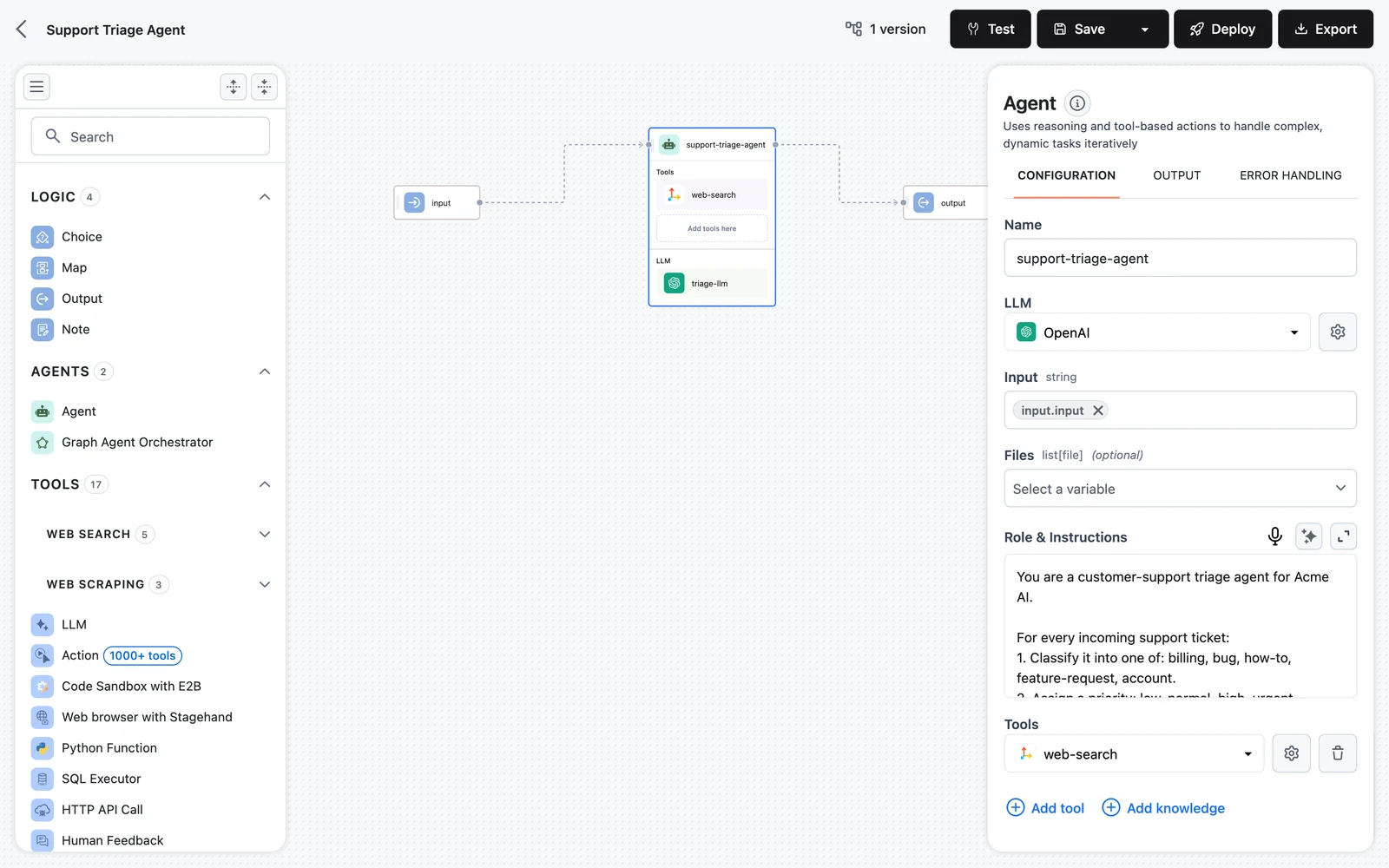
The workflow itself is deliberately small: an Input node, one Agent node, and an Output node. The intelligence lives in what the agent carries. The Agent node runs a reasoning loop — reason, call a tool, observe, repeat — and its tools define what it can do: a Knowledge Base Retriever pointed at the Product Docs Knowledge Base for grounded answers, a web search tool for questions about third-party integrations the docs don't cover, and a Human Feedback tool the agent calls to escalate. Agent memory is enabled and scoped by user_id and session_id, so each customer's conversation thread persists across runs without your integration resending history.
Input ──► Agent ──► Output
            │
            ├── Knowledge Base Retriever ──► "Product Docs" Knowledge Base
            ├── Web search (Tavily)
└── Human Feedback (escalation to a support engineer)| Component | Role in this design |
|---|---|
| Agent node | Reasoning loop that decides per turn whether to retrieve, search, answer, or escalate |
| "Product Docs" Knowledge Base | Chunked, embedded product documentation — the agent's source of truth |
| Knowledge Base Retriever | Tool on the agent; returns top-k doc chunks per query |
| Web search with Tavily | Fallback for questions about third-party tools and services |
| Human Feedback tool | Pauses the run and asks a person — the escalation gate |
| Agent memory | Multi-turn history per user_id + session_id |
One architectural decision worth making explicit: retrieval is a tool, not a fixed pipeline stage. The agent queries the Knowledge Base only when the question needs it, can reformulate and query again if the first results are thin, and skips retrieval entirely for conversational turns ("thanks, that worked"). If you prefer a fixed retrieve-then-answer flow, the same Knowledge Base also works in a RAG pipeline — but for triage, where question types vary widely, the agent-with-tools shape handles the variety better.
Build walkthrough
Create the "Product Docs" Knowledge Base
Create a Knowledge Base named Product Docs — the defaults (character splitting, managed embeddings and vector storage) are a fine starting point — then load it with your documentation via data sources. Use Search & Test to spot-check that a few known questions retrieve the right chunks before involving an agent at all.
Build the workflow
Create a workflow and wire Input → Agent → Output, exactly as in Build Your First Workflow. In the Agent node, pick your LLM and write the role prompt (Agent Prompts & Roles): the agent is an Acme Cloud support specialist, must answer only from retrieved documentation, must say so when the docs don't cover something, and must escalate rather than guess.
Connect the Knowledge Base
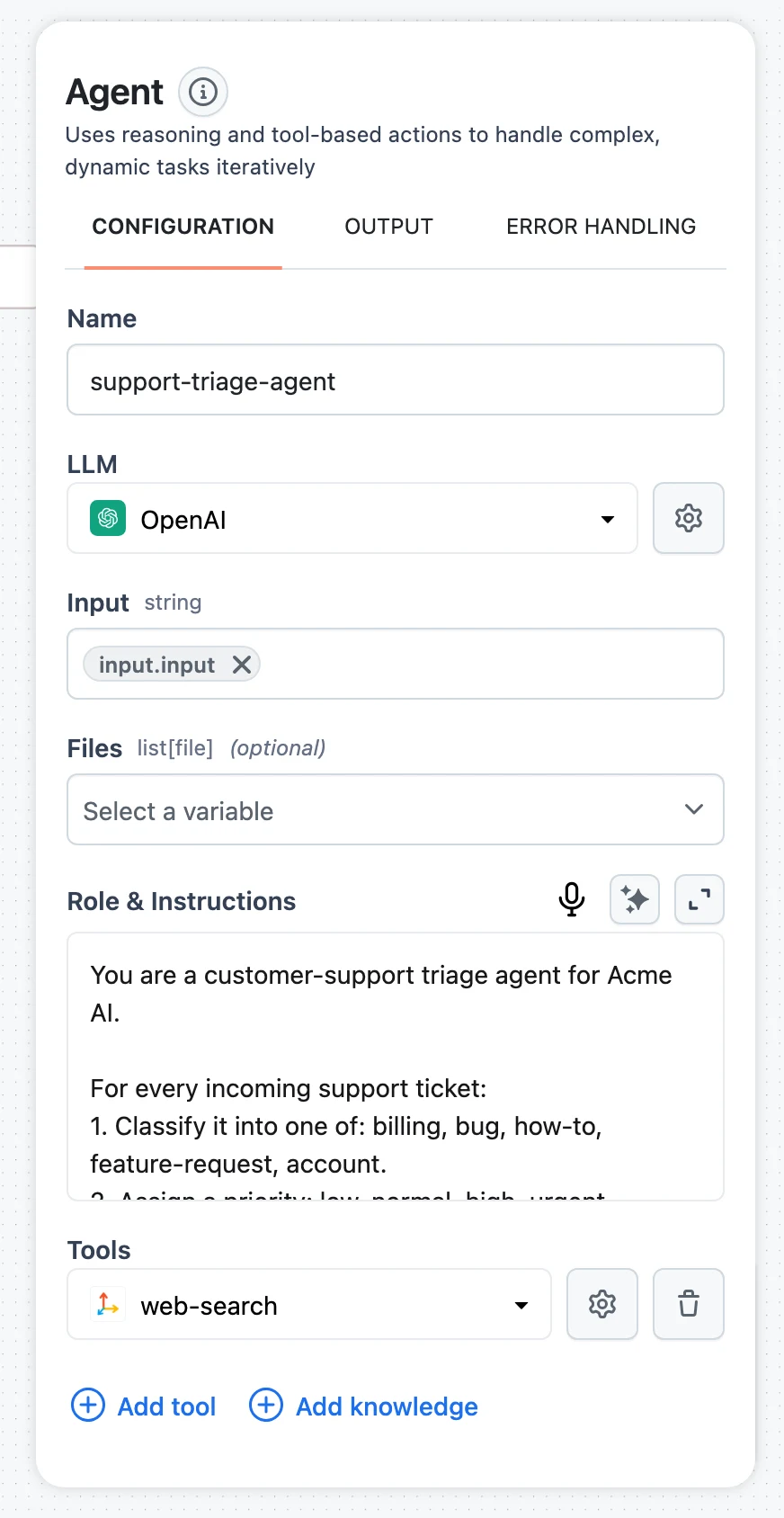
In the Agent node's tools section, click Add knowledge to attach a Knowledge Base Retriever and point it at Product Docs — full details in Connect a Knowledge Base to Agents. Write a specific tool Description ("Searches Acme Cloud's official product documentation for features, configuration, and troubleshooting"), since that text is what the model reads when deciding to retrieve.
Add the remaining tools
Via Add tool, attach Web search with Tavily for third-party questions and the Human Feedback tool for escalation. Instruct the agent in its role prompt when each is appropriate — for example, escalate on billing disputes, account changes, or any question it cannot answer from the docs.
Enable memory
Turn on Agent memory with the Input / Output save mode, which persists only the user message and final answer per turn — the right fidelity for clean multi-turn support chat. User ID and Session ID appear as agent inputs; your integrations will supply them per customer and per conversation.
Test, then release
Use the Test panel with a handful of real ticket questions, inspect the trace to confirm the agent retrieves before answering, then save a version to deploy.
Permissions & compliance spotlight
This section is where a support deployment earns (or loses) the trust of a security review. The controls below map one-to-one onto platform features — nothing here requires custom infrastructure.
Scope the work to a support project
Create a dedicated Customer Support project and make it Private, so the workflow, the Product Docs Knowledge Base, the LLM connections, and all traces live behind an explicit member list — only org Owners/Admins and the support engineers you add can open them. Conversations with customers will appear in traces, so this is genuinely access-controlled data, not just tidiness. The full model is in Members & Roles: every user holds one organization role (Owner, Admin, or Member), and Private-project access for Members is granted by adding them as project members.
Project member roles (admin / editor / viewer) are stored but not yet enforced — authorization checks verify membership only. Treat project membership as the access boundary and don't rely on viewer as a read-only guarantee. See Members & Roles for the current enforcement status.
A project-scoped Access Key for the helpdesk
The ticketing-system integration authenticates with an Access Key scoped to the Customer Support project — a key named helpdesk-prod, restricted to that one project, with an expiry date that forces rotation. If the key leaks, the blast radius is the support project's deployed resources, not the whole organization; deleting the key revokes it on the very next request. Dynamiq stores only a SHA-512 fingerprint and a short preview of the secret (Security), so the full key exists in exactly two places: the creation dialog, once, and your secret manager.
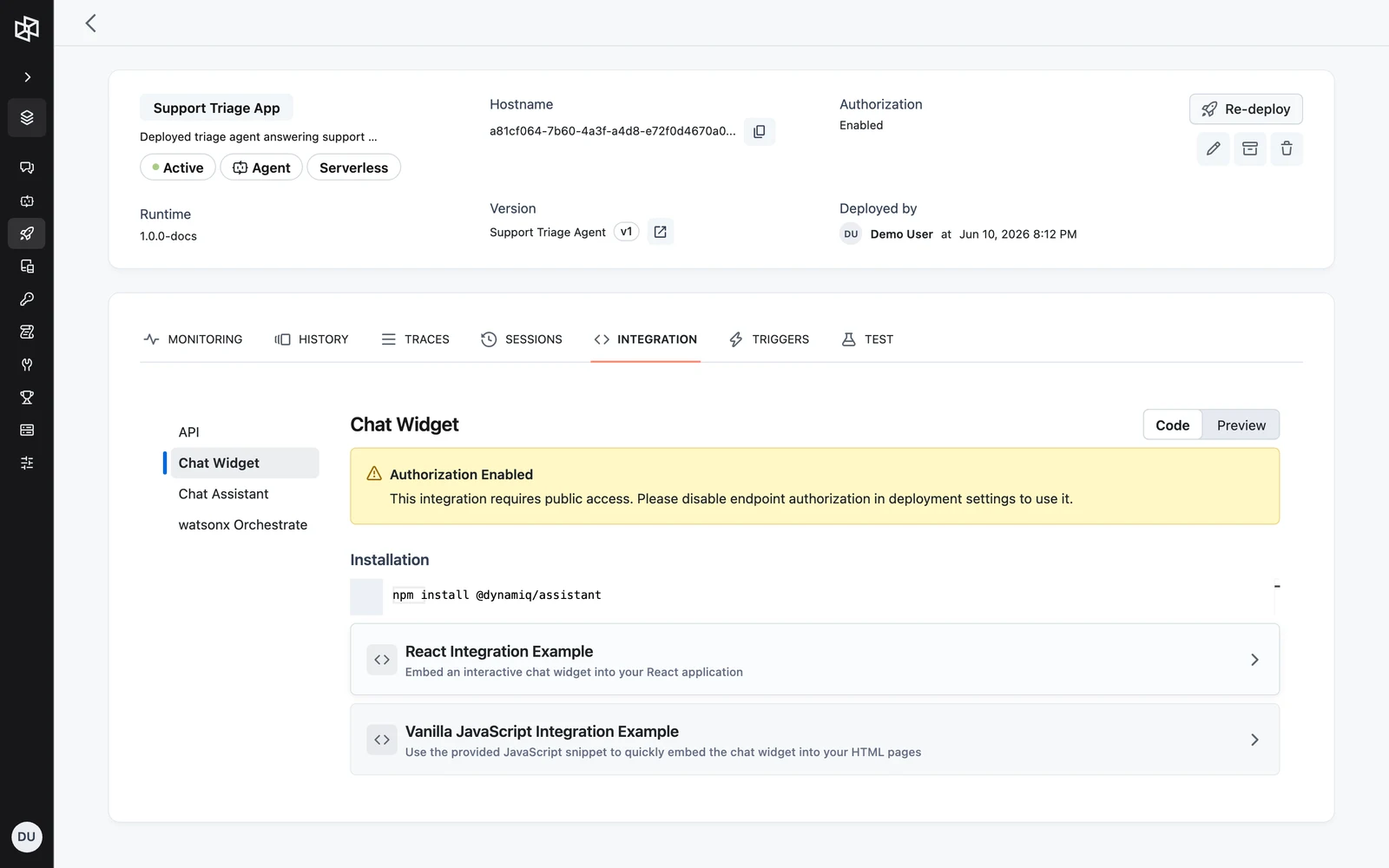
Note the asymmetry between your two integration surfaces: backend calls from the ticketing system carry the Access Key, but the help-center chat widget runs in the customer's browser and therefore requires a public App endpoint — it cannot carry a key. The clean pattern is two Apps from the same workflow version: a public one serving the widget, and a private one (endpoint authorization enabled) for the ticketing system.
Human-in-the-loop as a compliance gate
Escalation here is not a "sorry, contact support" message — it is a paused run. When the agent calls the Human Feedback tool with ask, the run stops and waits; a support engineer reviews the conversation and replies through POST /v1/runs/{run_id}/input on the Runs API, and the agent resumes with that reply as its observation. For actions that must never run unattended — say a future version of this agent gains a refund tool — switch on per-node execution approval instead, so the platform pauses before the node every time regardless of what the model decides. Both mechanisms are covered in Human in the Loop.
Guardrails on what customers send
Support inputs are adversarial by default — customers paste account numbers, and some users will try prompt injection through a public widget. Place a PII Detector and a Prompt Injection Detector between Input and the agent, branch on their flags with a Choice node, and route flagged inputs to a refusal message or straight to escalation instead of the model.
Every conversation is auditable
Each run — widget or API — is recorded as a trace: the customer's input, every retrieval the agent made (including which chunks came back), every web search, the escalation exchange, and the final answer, as an execution tree you can inspect node by node or download as JSON. When a customer disputes what the agent told them, you replay the exact run rather than reconstruct it.
Deploy & integrate
Deploy the workflow as an App — per the key-handling pattern above, one public App for the widget and one private App for the helpdesk.
Help center: the chat widget. The App's Integration tab provides an embeddable Chat Widget (React component or a vanilla-JS snippet). Pass your customer identifier and a per-conversation UUID as userId and sessionId so widget conversations get memory and appear on the App's Sessions tab.
Ticketing system: the Runs API. The helpdesk calls the private App's Runs API to draft a reply for each incoming ticket, reusing the ticket id as the user_id and one UUID per ticket thread as the session_id (see Conversations & Sessions):
curl -X POST "https://<your-app-hostname>/v1/runs" \
  -H "Authorization: Bearer $DYNAMIQ_ACCESS_KEY" \
  -H "Content-Type: application/json" \
  -d '{
    "input": {"input": "Webhook deliveries to our endpoint have been failing with 401 since yesterday. What changed?"},
    "user_id": "ticket-48211",
    "session_id": "1f7c9a2e-8b4d-4c6e-9f0a-3d5e7b1c2a4f"
  }'
For long-running escalations, create the run in background mode and re-attach to its SSE event stream — the Runs API supports listing, cancellation, mid-run input, and event replay on the same hostname.
Evaluate & monitor
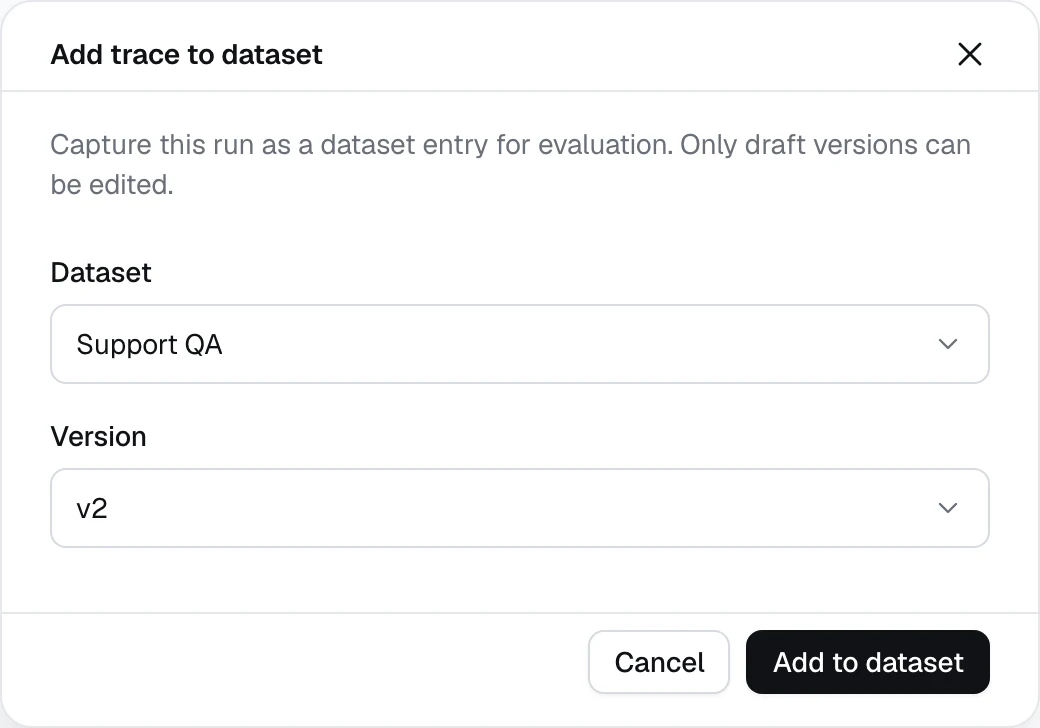
Build the dataset from real tickets. Once traffic flows, the best test data is sitting in your traces. From a trace's side sheet, click Add to dataset to capture real ticket conversations into a draft dataset version — trace-derived items carry input, output, status, and trace_id. Curate a hundred representative tickets, add a ground_truth_answer column from your support engineers' approved replies, and Release the version.
Score with an LLM judge. Create an LLM-as-a-judge metric from the built-in Hallucination or Factual Accuracy rubric template — for retrieval grounding specifically, the predefined Faithfulness preset checks whether answers stay inside the retrieved contexts. Attach the metrics to an evaluation run over the released dataset version, and make a passing run the gate before deploying any new workflow version.
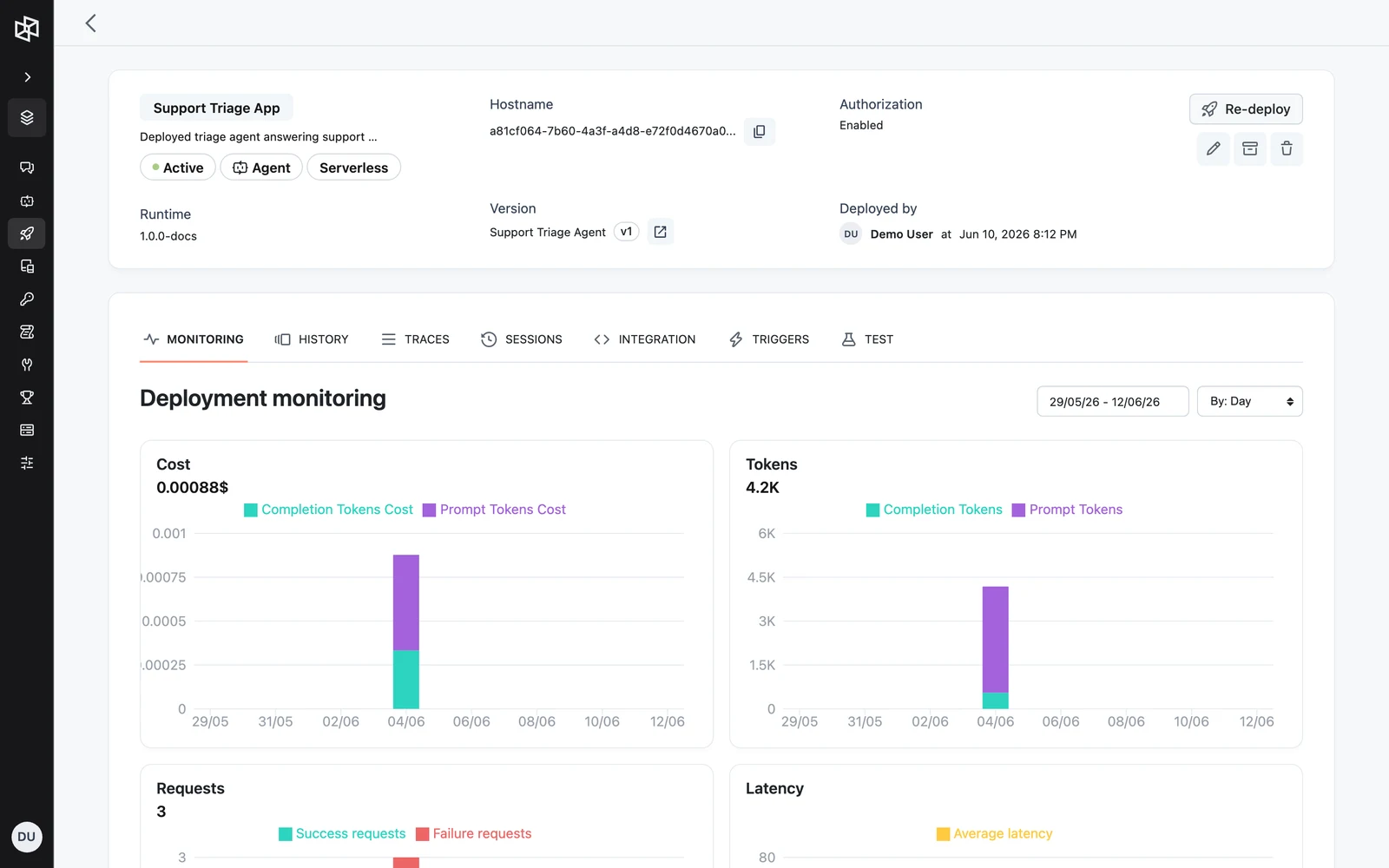
Watch cost and volume in production. The App's Monitoring tab charts Cost, Tokens, Requests, and Latency over your chosen window (Monitoring, History & Traces) — the numbers that tell you what deflection actually costs per conversation and when failure rates move. Traces that look wrong feed straight back into the dataset via Add to dataset, closing the loop.
Next steps
Financial Services: Transaction Review Agent
The same building blocks under stricter controls — guardrails, approvals, and audit.
Internal Knowledge Assistant
Point the retrieval pattern inward, at your own organization's documents.
The Agent Node
Every configuration group on the node at the center of this design.
Members & Roles
The full permission model behind the project scoping used here.
Build a Search Assistant
Build an assistant that searches the web and answers with cited sources — as a single agent, a manager-and-specialists team, or a deterministic pipeline.
Financial Services: Transaction Review
A transaction-review and client-reporting agent with per-analyst database credentials, an approval gate before anything leaves the firm, and a full audit trail.